


갤럭시워치 베젤링 후기, 화면이 꺼져도 남는 금속 다이얼
스마트워치의 화면은 손목을 내리는 순간 검게 사라집니다. 그때도 남아 있는 것은 케이스의 실루엣과 화면 둘레의 금속선입니다. 갤럭시워치 베젤링은 디스플레이가 켜져 있을 때만 보이는 장식이 아니라, 화면이 꺼진 시간에도 워치의 크기와 표정을 결정하는 외곽 부품입니다.
블랙 베젤링은 검은 디스플레이를 바깥까지 이어 한 덩어리의 깊은 원을 만들고, 실버 베젤링은 어두운 중심을 밝은 금속선으로 분리합니다. 숫자와 미닛 스케일이 들어간 디자인은 화면이 쉬고 있을 때도 시계의 기능적인 인상을 남깁니다. 같은 갤럭시워치라도 외곽의 색과 눈금 밀도에 따라 전면이 단정한 드레스 워치처럼 보이기도 하고, 계기판에 가까운 스포츠 워치처럼 보이기도 합니다.
착용감은 링의 폭만으로 결정되지 않습니다. 모델과 사이즈에 맞는 내경, 화면 가장자리와의 간격, 12시 방향의 정렬, 손가락이 움직일 터치 여유가 함께 맞아야 합니다. 퍼슬랏 베젤링은 워치 전체를 두껍게 덮기보다 디스플레이 가장자리의 얇은 비율을 남기면서 금속 다이얼의 인상을 더합니다.
좋아요~ 잘사용하고 있습니다~
검은 화면을 바깥까지 잇는 블랙 링
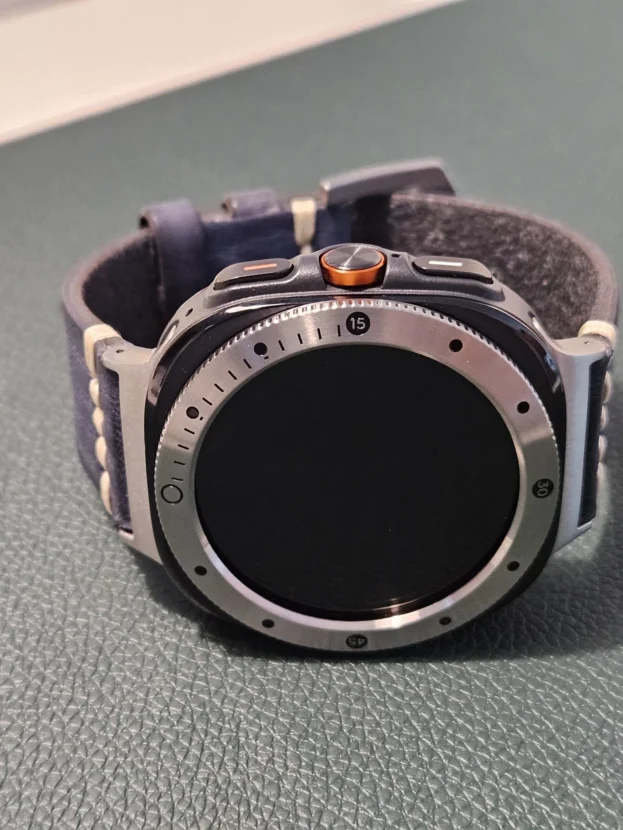
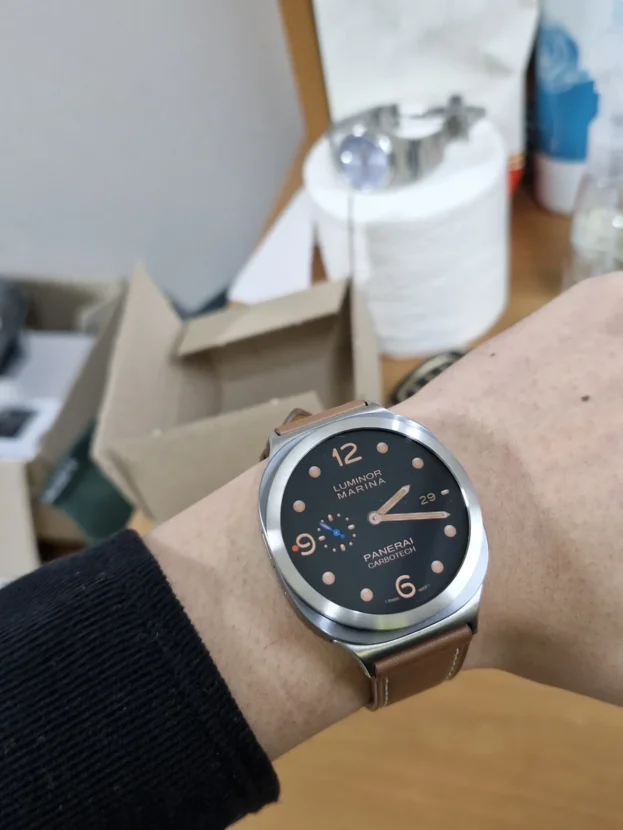
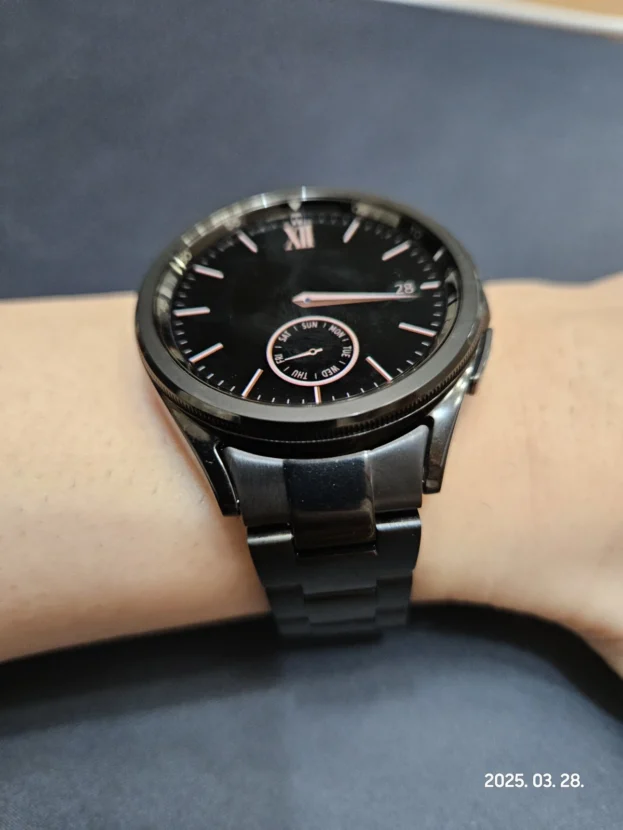
블랙 베젤링을 화면이 꺼진 갤럭시워치에 맞추면 디스플레이와 테두리의 경계가 한층 조용해집니다. 검은 중심이 베젤 안쪽까지 이어지고, 숫자와 짧은 마커만 빛을 받아 떠오릅니다. 화면을 켜지 않아도 전면에는 원형 계기판의 형태가 남아 워치 본체가 비어 보이지 않습니다.
어두운 링은 검은 워치페이스와 연결하기 쉽지만, 밝은 케이스에서는 명암 차이가 더 선명합니다. 케이스의 금속색, 블랙 베젤, 검은 화면이 세 겹으로 나뉘면서 다이얼의 깊이가 생깁니다. 소매 밖으로 일부만 드러날 때도 검은 외곽선이 손목 위 중심을 분명하게 잡습니다.
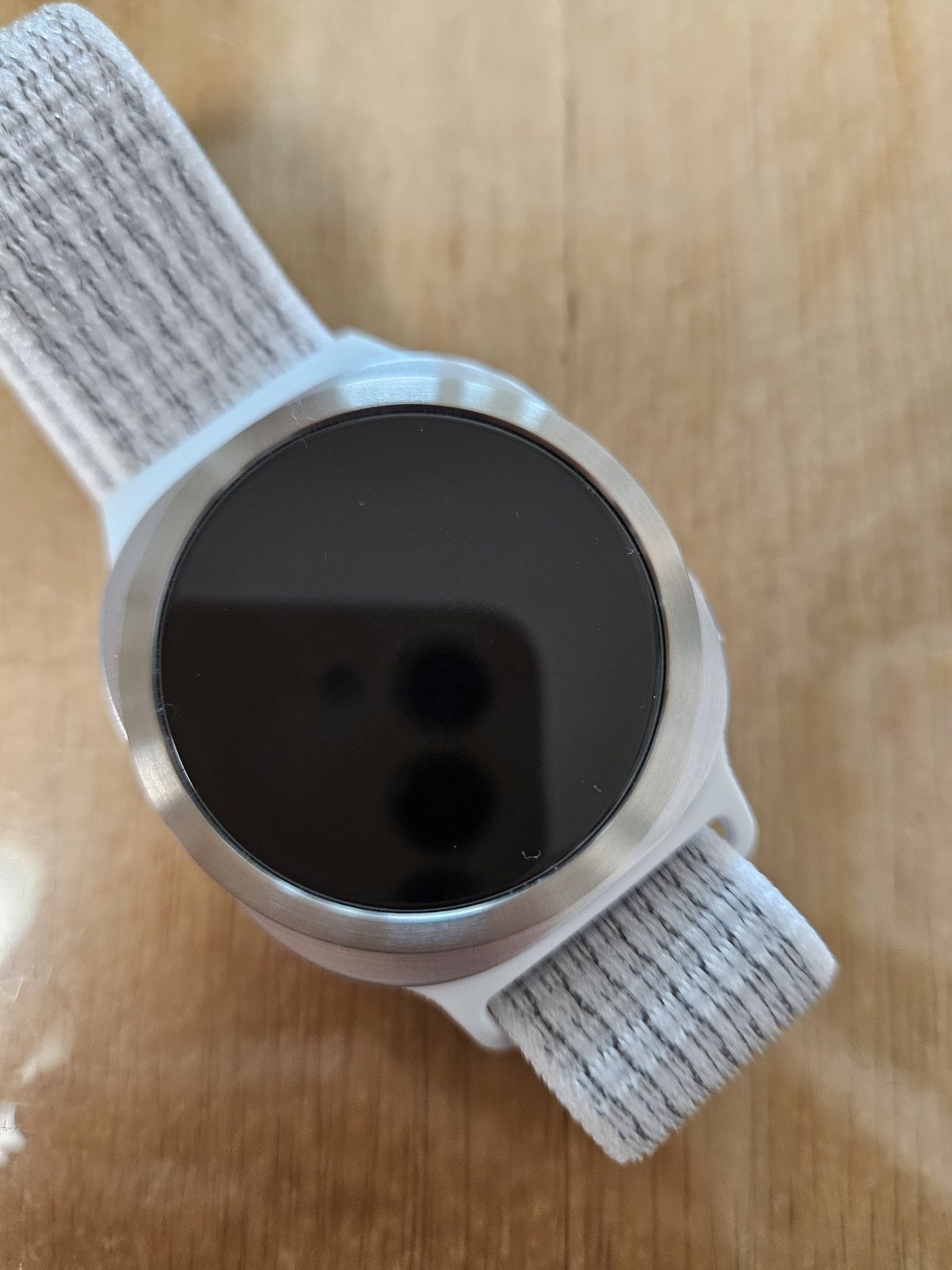
좋아요. 잘 쓸게요.
실버 외곽선이 만든 검은 다이얼의 여백
실버 베젤링은 화면이 꺼졌을 때 가장 분명한 대비를 만듭니다. 중앙의 검은 원은 더 깊게 보이고, 바깥의 밝은 금속선은 워치 본체와 연결됩니다. 숫자 장식을 줄인 실버 면은 디스플레이를 좁아 보이게 하지 않으면서 다이얼의 윤곽을 깨끗하게 남깁니다.
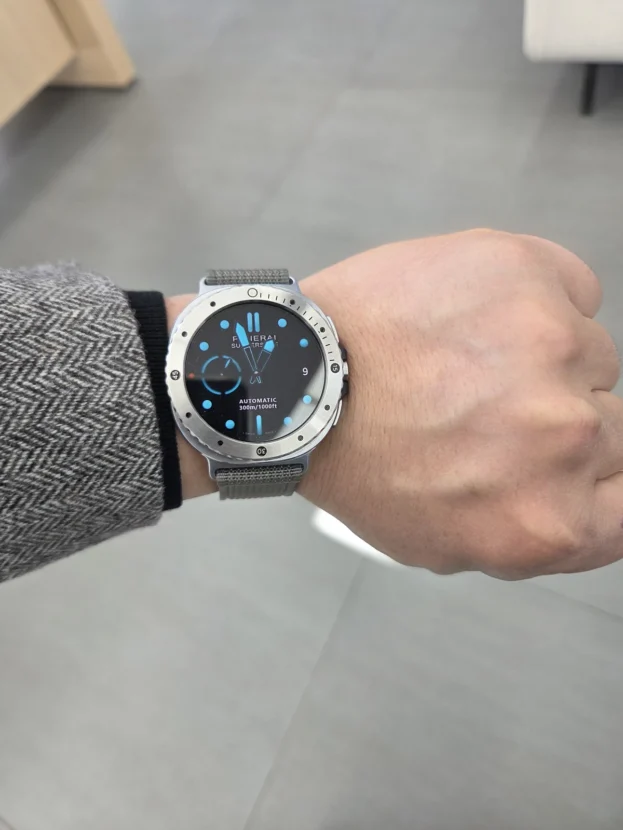
브러시드 결이나 짧은 유광 모서리는 손목을 움직일 때만 반사됩니다. 정면에서는 차분하고, 비스듬한 각도에서는 금속의 두께와 표면이 드러납니다. 밝은 니트나 셔츠와 함께 착용하면 실버 링이 옷의 색을 가리지 않고 스마트워치의 디지털 인상을 단정하게 정리합니다.
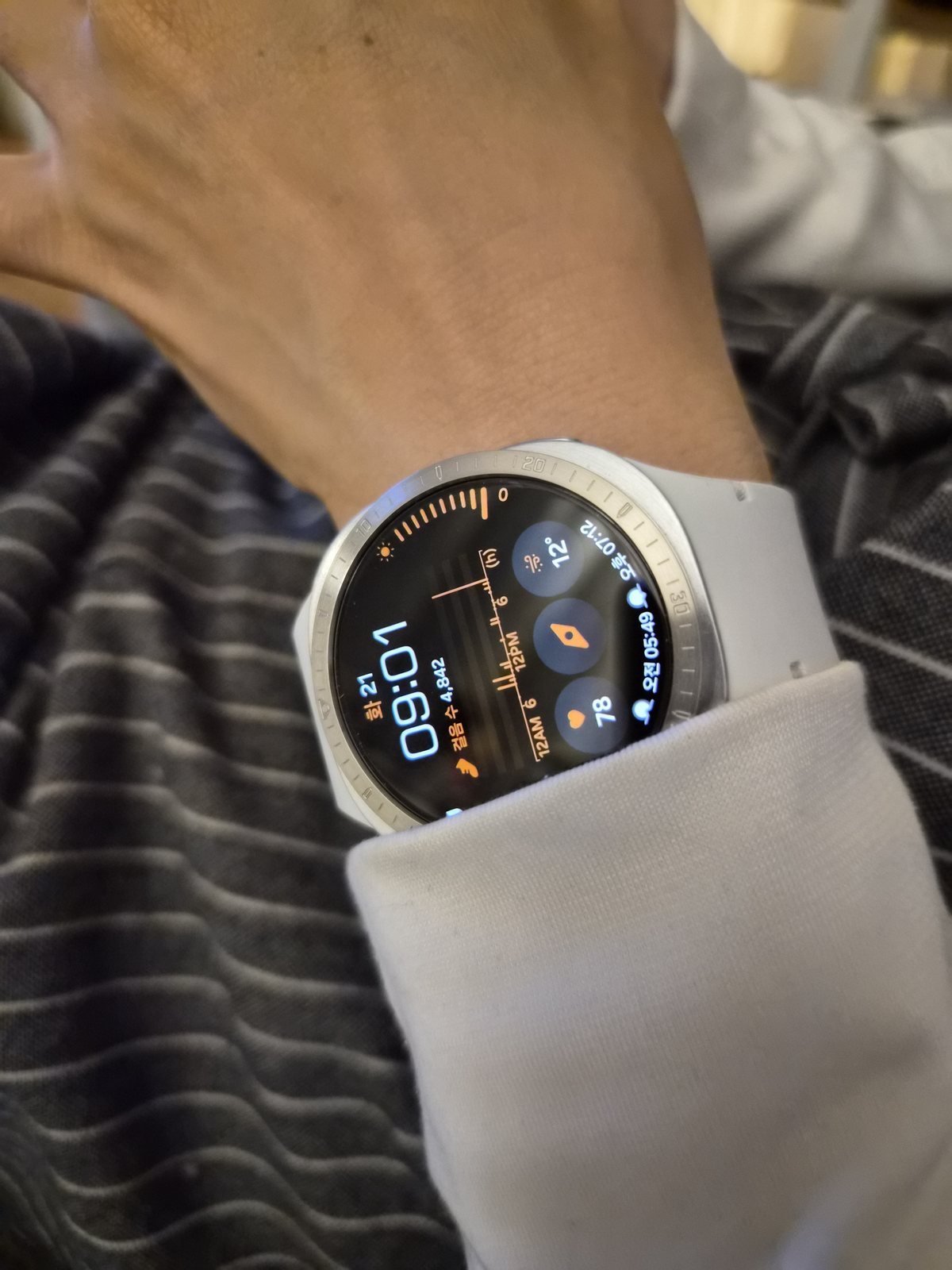
깔끔하게 고급집니다.
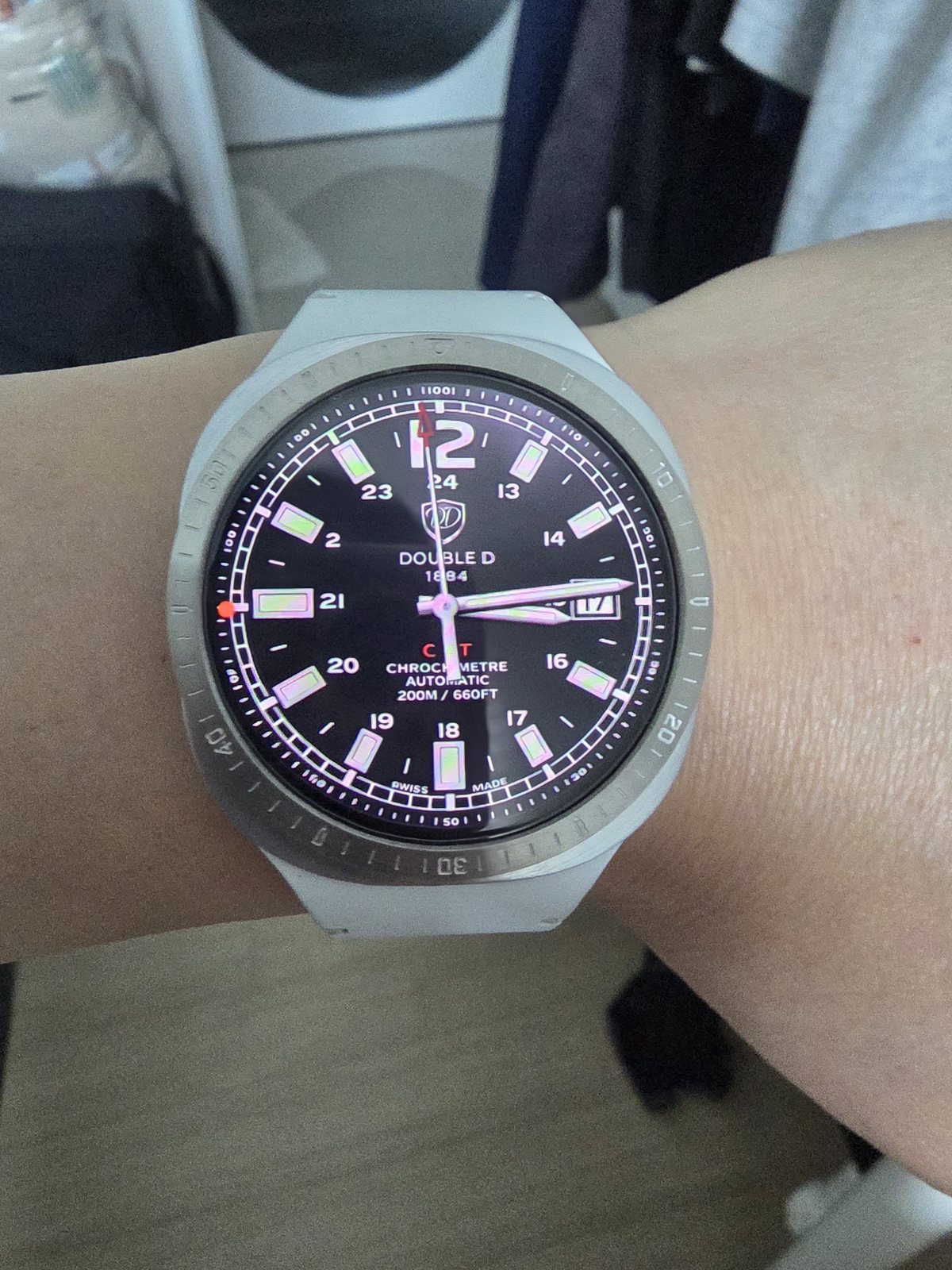
화면이 켜지면 이어지는 디지털 인덱스
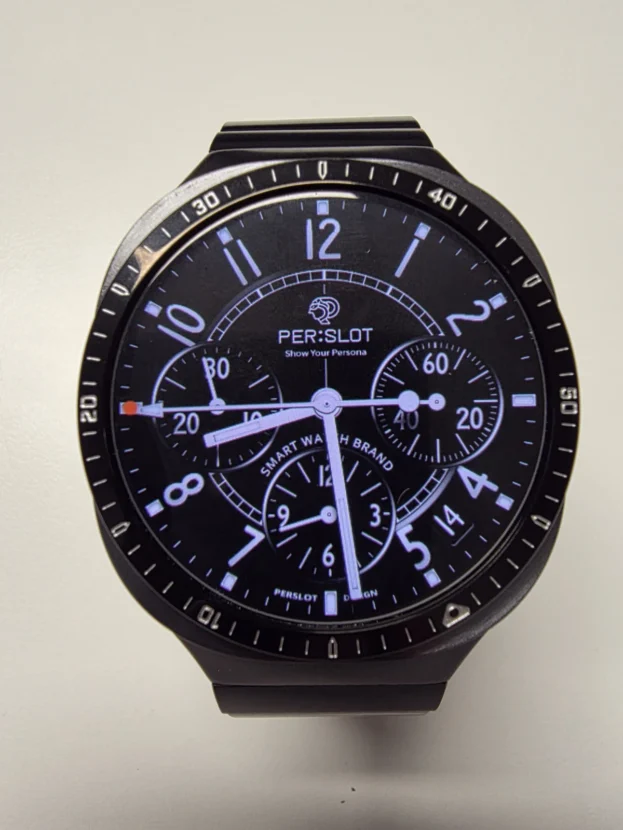
디지털 워치페이스를 켜면 베젤링은 화면 밖의 두 번째 인덱스가 됩니다. 중앙의 큰 숫자와 컬러 아이콘은 그대로 읽히고, 실버 외곽선은 정보가 끝나는 자리를 명확하게 구분합니다. 화면 안쪽과 케이스 사이가 한 번 정돈되면서 전면이 단순한 디스플레이보다 원형 시계 다이얼에 가깝게 보입니다.
베젤링 색은 워치페이스를 자주 바꾸는 사용자에게 특히 오래 남는 선택입니다. 실버는 검정, 파랑, 주황처럼 대비가 강한 화면과도 쉽게 어울리고, 밝은 화면에서는 케이스와 자연스럽게 이어집니다. 매일 다른 워치페이스를 사용해도 바깥 금속선이 전체 비율을 일정하게 유지합니다.
잘사용중입니다~~ 맘에들어요~
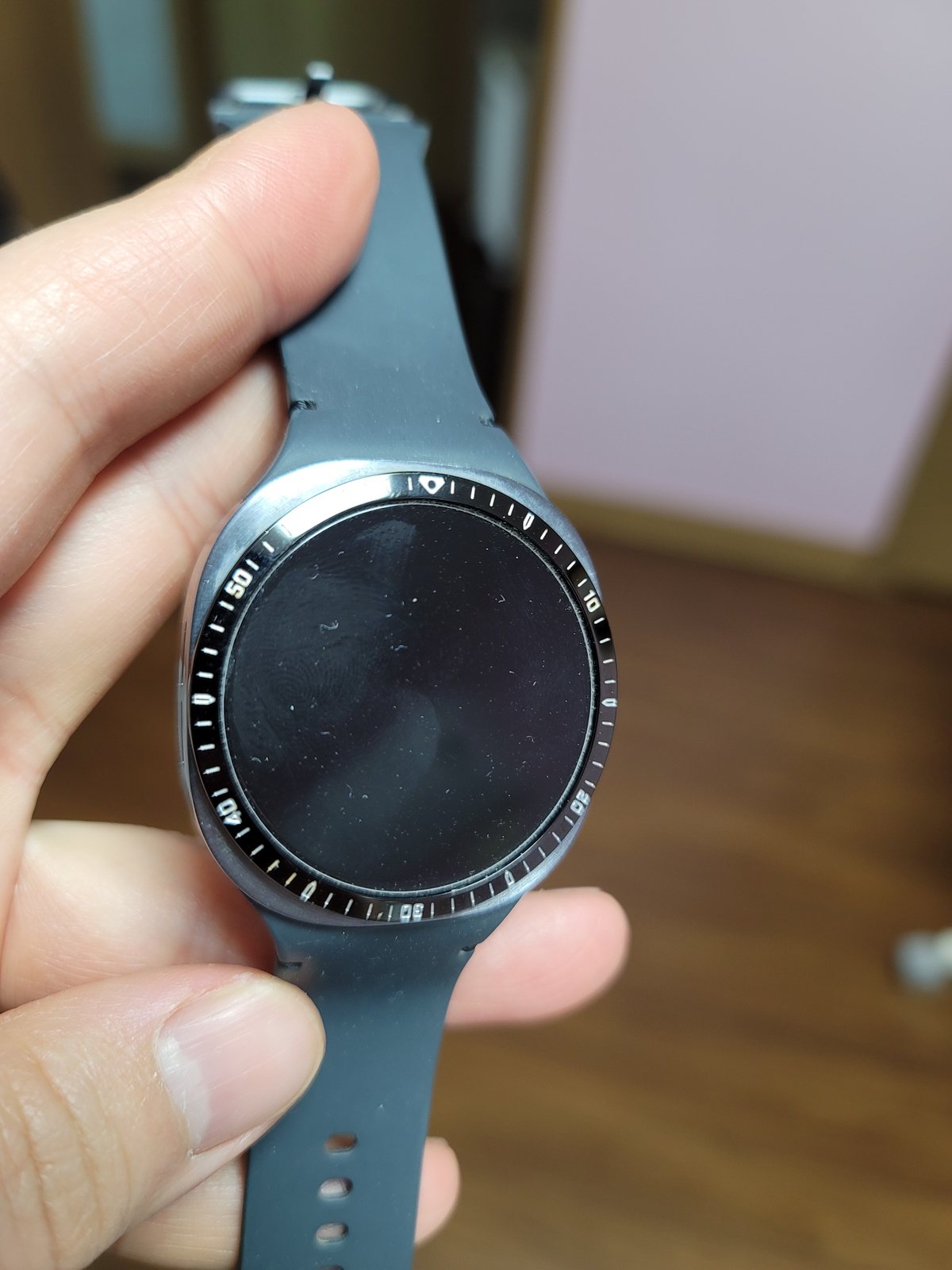
숫자 눈금이 남기는 도구의 표정
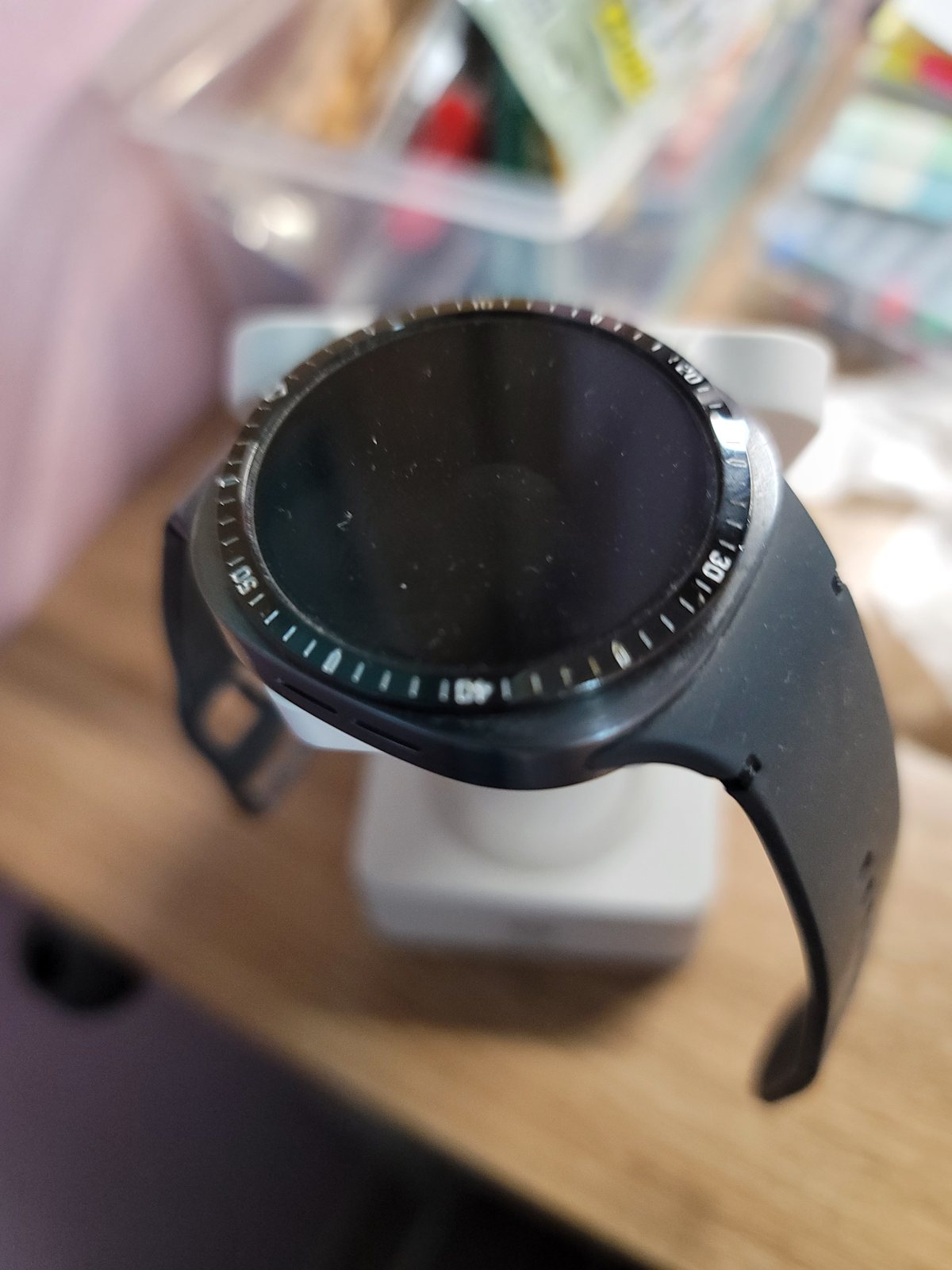
숫자와 미닛 스케일이 들어간 블랙 베젤링은 화면이 꺼져도 기능적인 인상을 잃지 않습니다. 일정한 간격의 눈금이 원 둘레를 나누고, 굵은 숫자가 12시 방향을 기준으로 균형을 잡습니다. 워치페이스가 단순할수록 외곽의 마커가 더 선명하게 드러나며 스포츠 워치에 가까운 긴장감이 생깁니다.
눈금형 디자인은 부착 중심이 조금만 틀어져도 화면의 인덱스와 어긋나 보입니다. 접착 전에 12시와 6시를 먼저 맞추고, 3시와 9시의 안쪽 간격을 비교합니다. 네 방향의 여백이 같아야 숫자 눈금과 워치페이스가 같은 축에서 이어집니다.
부착하기도 쉽고 터치도 잘 되네요
외곽선을 남기고 지켜낸 터치 여유
베젤링은 화면 전체를 덮는 풀커버와 구조가 다릅니다. 디스플레이는 그대로 열어 두고 가장자리만 금속으로 둘러 화면을 넘기거나 앱을 여는 조작감을 유지합니다. 모델과 사이즈에 맞는 링이 중앙에 놓이면 손가락이 움직일 안쪽 간격이 고르게 남습니다.
부착 뒤에는 상하좌우 스와이프와 화면 끝의 버튼을 차례로 눌러 봅니다. 어느 한쪽에서만 손가락이 걸린다면 링의 중심이 기울었는지 살핍니다. 보호필름을 함께 사용할 때는 퍼슬랏 베젤링 내경에 맞춘 전용 필름을 사용해야 필름 외곽과 링 안쪽이 겹치지 않습니다.
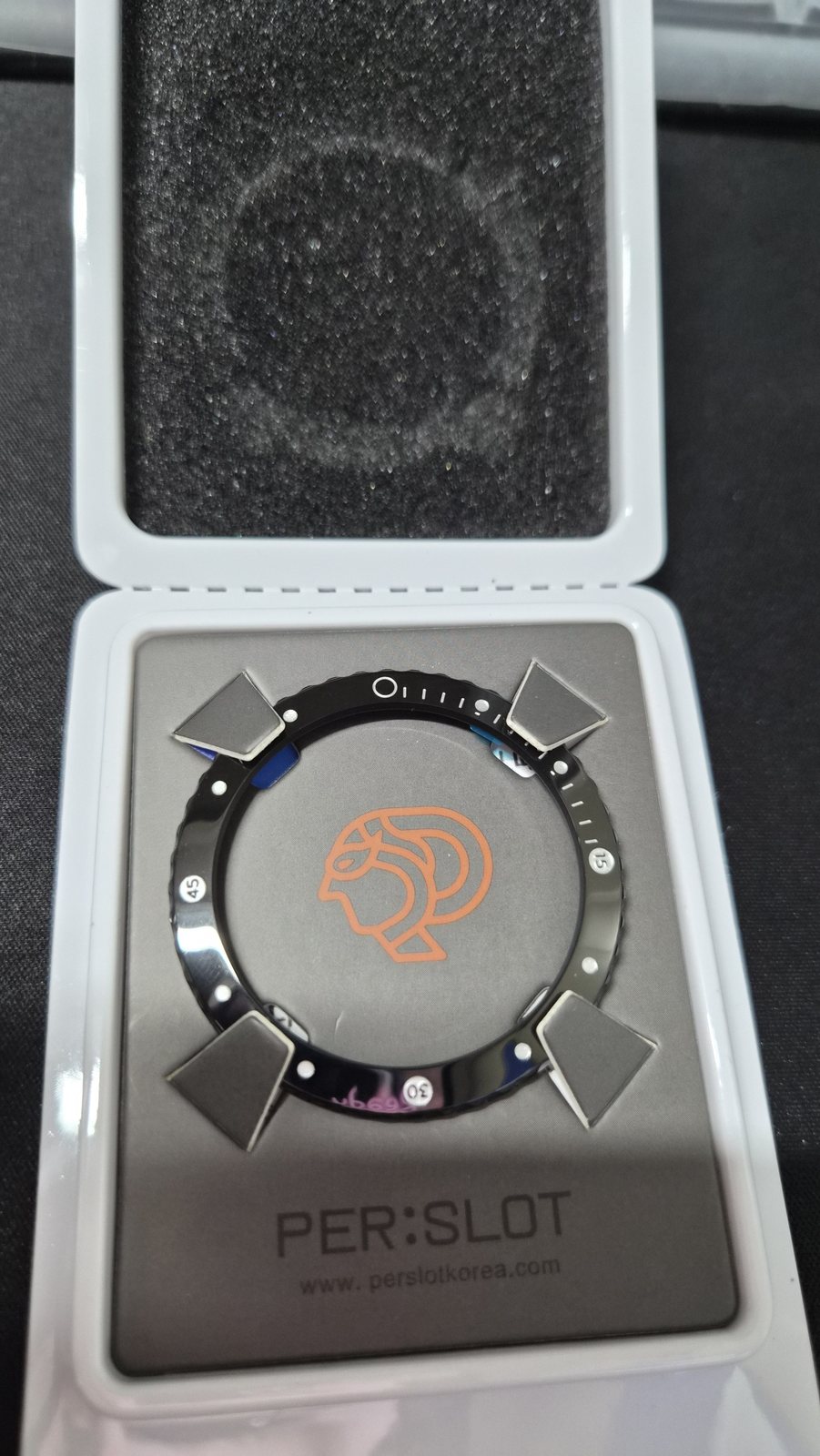
만듬새도 좋고 이뻐요 ㅎ
손목에 오르기 전 드러나는 가공선
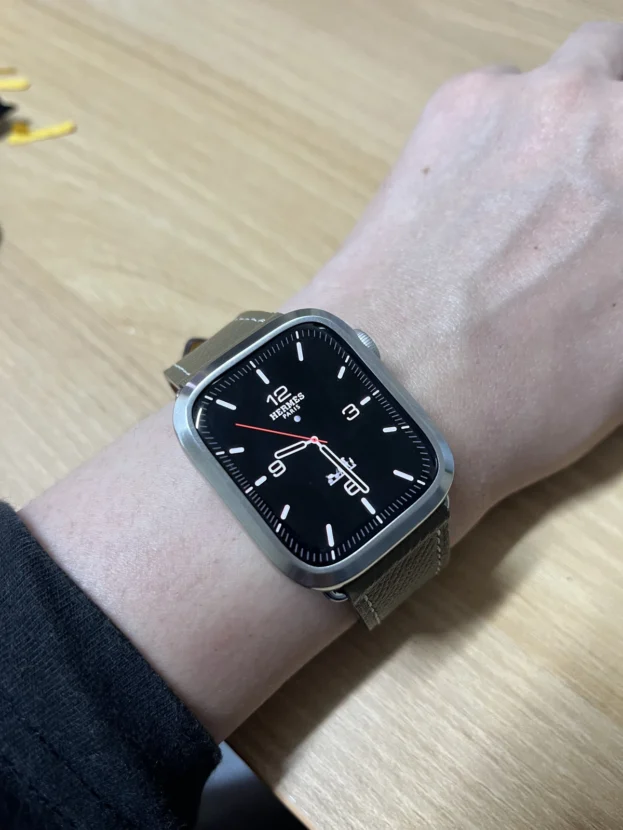
베젤링은 작은 부품이지만 전면에서 차지하는 면적이 커 표면의 차이가 바로 드러납니다. 숫자 각인의 깊이, 모서리의 반사, 안쪽 원의 매끄러운 마감이 고르게 이어져야 화면 둘레가 거칠어 보이지 않습니다. 부착 전 정면과 측면을 함께 보면 링의 폭과 높이, 접착면의 상태를 더 분명하게 알 수 있습니다.
손목 위에서는 먼 거리의 반짝임보다 가까이에서 보이는 선의 정돈이 오래 남습니다. 숫자와 마커가 한 축에 놓이고 안쪽 원이 매끈하게 이어지면 화면이 켜지거나 꺼져도 워치의 전면이 흐트러지지 않습니다. 작은 금속 원 하나가 매일 보는 갤럭시워치의 얼굴을 바꾸는 이유입니다.
화면의 상태와 관계없이 완성되는 외곽선
블랙은 검은 화면과 이어져 깊은 원을 만들고, 실버는 디스플레이와 케이스 사이에 밝은 경계를 남깁니다. 숫자 눈금형은 기능적인 표정을 강조하며, 장식을 덜어낸 링은 워치페이스의 색과 정보를 더 넓게 보여줍니다. 화면이 켜진 시간과 꺼진 시간을 함께 생각하면 색상과 디자인의 차이가 훨씬 분명해집니다.
오래 편하게 사용하려면 디자인만큼 중심과 간격이 정확해야 합니다. 모델과 사이즈를 맞추고 부착면의 먼지와 유분을 닦은 뒤 네 방향의 여백을 확인합니다. 가장자리 터치와 측면 버튼을 점검하고, 필름을 함께 쓸 때는 베젤링 내경에 맞춘 퍼슬랏 전용 보호필름을 사용합니다.
스마트워치 화면은 필요할 때 켜지고 다시 사라지지만, 손목 위에 남은 외곽선은 하루 종일 워치의 인상을 결정합니다. 다이얼의 색, 베젤링의 금속 톤, 숫자 눈금의 밀도가 균형을 이루면 갤럭시워치는 화면이 쉬고 있는 순간에도 한층 또렷한 시계의 형태를 유지합니다.
Galaxy Watch Bezels: A Metal Dial That Remains When The Screen Turns Off
A smartwatch display disappears into black as soon as the wrist is lowered. What remains visible is the silhouette of the case and the metal line around the screen. A Galaxy Watch bezel is therefore more than decoration for an active display. It continues to define the size, character and visual balance of the watch while the screen is resting.
A black bezel carries the dark display outward and creates one deep circular surface. A silver bezel separates the black centre with a bright metal boundary. Designs with numerals and minute markers retain the practical expression of a timekeeping instrument even when no digital information is visible. The same watch can appear restrained like a dress watch or purposeful like a sports watch according to the colour and density of the outer scale.
Comfort depends on more than the apparent width of the ring. The inner diameter for the exact model and size, the clearance around the display, alignment at twelve o’clock and room for edge gestures must all work together. PERSLOT bezels refine the perimeter without enclosing the entire watch in a bulky full cover.
A Black Ring That Extends The Dark Display
I like it and have been using it well.
A black bezel makes the border of an inactive Galaxy Watch noticeably quieter. The dark centre continues into the inner edge of the bezel, while only the numerals and short markers catch the surrounding light. The front retains the shape of a circular instrument even when the display is off, so the watch does not appear visually empty.
The dark ring connects easily with black watch faces, but its contrast becomes more pronounced on a bright case. The metal case, black bezel and inactive screen create three distinct layers, adding depth to the dial. Even when only part of the watch is visible beyond a sleeve, the dark outline keeps the centre of the wrist clearly defined.
Silver Space Around A Black Dial
I like it. I will enjoy using it.
A silver bezel produces its clearest contrast when the display is off. The central black circle appears deeper, while the bright outer line connects with the watch body. A minimally decorated silver surface leaves a clean outline without making the display look smaller or unnecessarily crowded.
Brushed grain and narrow polished edges respond only when the wrist moves. The finish remains calm from the front, then reveals its thickness and texture at an angle. With a light knit or shirt, the silver ring introduces a refined metal detail without competing with the colour of the clothing.
Digital Indices That Continue Beyond The Screen
It looks clean and refined.
Once the digital watch face turns on, the bezel becomes a second index outside the display. Large numerals and coloured complications remain easy to read, while the silver perimeter clearly marks where the information ends. The result reads less like an isolated screen and more like a complete circular watch dial.
Bezel colour matters most to users who change watch faces frequently. Silver works with high-contrast black, blue and orange displays, while also joining naturally with lighter faces and cases. The interface can change throughout the day, yet the outer metal line maintains a consistent proportion around it.
The Instrument Character Of A Numbered Scale
I have been using it well and I am very pleased with it.
A black bezel with numerals and a minute scale retains a functional character when the screen is off. Evenly spaced markers divide the circumference, and the larger numerals establish a clear orientation from twelve o’clock. The simpler the watch face, the more visible the outer scale becomes, creating the controlled tension of a purpose-built sports watch.
Alignment is particularly important with a numbered design. A small rotation can make the bezel scale appear disconnected from the indices on the screen. Before pressing the adhesive, align twelve and six o’clock first, then compare the clearances at three and nine. Equal spacing allows the digital face and metal scale to share one axis.
Edge Gestures Preserved Inside A Metal Outline
It was easy to attach, and touch control works well.
A bezel has a different structure from a full cover. The display remains open while metal surrounds only the perimeter, preserving direct access for swipes, taps and app controls. When the correct model and size are centred accurately, an even gap remains for the finger around the inner edge.
After installation, test swipes in all four directions and use controls positioned near the edge of the display. Resistance on only one side may indicate that the ring is sitting off centre. If a screen protector is also used, the PERSLOT protector designed for the bezel’s inner diameter avoids the overlap that can occur with a full-width third-party film.
Machined Lines Visible Before Installation
The workmanship is good, and it looks attractive.
A bezel is small, but its position across the front of the watch makes every surface detail visible. The depth of the engraved numerals, the reflection along the edge and the smooth inner circle must remain consistent to prevent the display border from looking rough. Examining both the front and side before installation reveals the width, height and condition of the attachment surface.
On the wrist, carefully resolved lines remain more important than excessive shine. When the numerals share one axis and the inner circle follows the display evenly, the front stays composed whether the screen is active or inactive. This is how a small metal component can change the face of a Galaxy Watch that is viewed throughout the day.
An Outline Completed In Every Display State
Black extends the inactive screen into one deep circle, while silver leaves a bright boundary between the display and case. A numbered scale brings a more technical expression, and a plain ring gives more space to the colour and information of the watch face. Considering both the active and inactive display makes these differences much easier to judge.
Accurate alignment is essential for long-term comfort. Match the exact model and size, clean dust and skin oil from the attachment area and compare the gap in all four directions. Test edge gestures and side buttons after installation. When a protector is required, use the PERSLOT film designed to fit within the inner diameter of the bezel.
The smartwatch interface appears only when needed, but the metal perimeter remains visible throughout the day. When the dial colour, bezel tone and density of the markers are balanced, a Galaxy Watch retains a clear and considered watch form even while its display is resting.
추가 정보
화면 밖에서 이어지는 금속 다이얼
갤럭시워치 베젤링은 화면이 켜진 상태와 꺼진 상태에서 서로 다른 역할을 합니다. 화면이 켜지면 워치페이스의 인덱스와 외곽선을 연결하고, 화면이 꺼지면 블랙 또는 실버 금속면이 워치의 형태를 유지합니다. 색상, 눈금 밀도, 안쪽 간격을 함께 맞추면 시각적인 완성도와 조작감을 동시에 지킬 수 있습니다.
- 블랙 베젤링은 검은 디스플레이와 이어져 전면을 깊고 단단하게 보이게 합니다.
- 실버 베젤링은 검은 화면과 케이스 사이에 밝은 경계를 만듭니다.
- 숫자 눈금형은 화면이 꺼져도 스포츠 워치의 기능적인 표정을 남깁니다.
- 플레인 형태는 워치페이스 색과 정보가 먼저 보이도록 여백을 넓게 둡니다.
- 12시와 6시를 먼저 맞춘 뒤 3시와 9시의 안쪽 간격을 비교합니다.
- 부착 후 네 방향 스와이프와 화면 가장자리 버튼을 차례로 사용합니다.
- 보호필름은 퍼슬랏 베젤링 내경에 맞춘 전용 규격을 사용합니다.
자주 묻는 질문
화면이 꺼졌을 때 블랙과 실버 베젤링은 어떻게 다른가요?
블랙은 검은 디스플레이와 이어져 하나의 깊은 원처럼 보입니다. 실버는 어두운 중심을 밝은 금속선으로 분리해 케이스의 형태와 다이얼 크기를 더 선명하게 보여줍니다.
숫자 눈금이 있는 베젤링은 어떤 워치페이스와 어울리나요?
인덱스가 굵은 아날로그 화면이나 크로노그래프, 운동 정보가 원형으로 배치된 화면과 자연스럽게 이어집니다. 화면 정보가 많다면 베젤 숫자의 크기와 간격이 지나치게 촘촘하지 않은지 함께 살핍니다.
갤럭시워치 베젤링을 부착하면 화면이 작아 보이나요?
모델과 사이즈에 맞는 링을 중앙에 부착하면 디스플레이 영역은 그대로 열려 있습니다. 안쪽 원의 폭과 색상에 따라 체감이 달라지며, 실버는 경계를 분명하게 만들고 블랙은 화면과 자연스럽게 이어집니다.
부착 중심은 어떻게 맞추나요?
접착면을 완전히 누르기 전에 12시와 6시 방향을 먼저 맞춥니다. 이어서 3시와 9시의 안쪽 간격을 비교하고 네 방향이 같은지 확인한 뒤 둘레를 고르게 눌러 고정합니다.
베젤링을 붙인 뒤 터치가 불편해질 수 있나요?
정확한 모델과 사이즈를 사용하고 중심을 맞추면 화면 가장자리 조작 공간이 고르게 남습니다. 부착 직후 상하좌우 스와이프와 자주 쓰는 화면 끝 버튼을 눌러 어느 한쪽이 걸리지 않는지 살핍니다.
일반 전면 보호필름을 함께 사용할 수 있나요?
일반 필름은 베젤링이 없는 화면 전체를 기준으로 만들어져 외경이 링 안쪽과 겹칠 수 있습니다. 퍼슬랏 전용 보호필름은 베젤링 내경에 맞춰 설계되어 링과 필름 사이의 간격을 안정적으로 남깁니다.
부착면은 어떻게 준비하나요?
먼지와 유분을 닦은 뒤 수분이 완전히 마른 상태에서 부착합니다. 가장자리에 미세한 이물질이 남으면 접착면이 고르게 닿지 않을 수 있으므로 밝은 곳에서 둘레를 한 번 더 살핍니다.
모델별 옵션과 부착 방법은 어디에서 볼 수 있나요?
퍼슬랏 공식몰에서 갤럭시워치 세대와 사이즈별 베젤링 옵션을 구분할 수 있습니다. 중심 정렬과 부착 과정은 퍼슬랏 공식 유튜브의 영상을 함께 보면 이해하기 쉽습니다.
색상과 구조를 고르는 세부 기준
화면이 꺼진 상태의 대비
스마트워치는 하루 중 화면이 꺼져 있는 시간이 더 깁니다. 검은 디스플레이 위에서 블랙은 면을 확장하고 실버는 경계를 강조하므로, 평소 착용하는 케이스 색과 옷의 명암을 함께 보면 손목 위 분위기를 예상하기 쉽습니다.
워치페이스와 눈금의 밀도
화면 안쪽에 서브 다이얼과 숫자가 많다면 바깥 눈금은 간격이 넓은 편이 안정적입니다. 반대로 여백이 많은 워치페이스에는 숫자나 미닛 스케일이 외곽의 빈 공간을 채워 시계다운 방향을 더합니다.
안쪽 원과 터치 영역
안쪽 원이 화면 중심과 정확히 맞아야 네 방향의 터치 여유도 고르게 남습니다. 부착 전에는 정면뿐 아니라 비스듬한 각도에서 링이 한쪽으로 치우치지 않았는지 살피고, 고정 후에는 실제 제스처로 조작감을 점검합니다.
표면과 접착부 관리
금속 표면은 부드러운 마른 천으로 닦고 강한 연마제는 피합니다. 물에 젖었을 때는 링 둘레와 접착부의 수분을 가볍게 제거해 오염이 쌓이지 않도록 관리합니다.
퍼슬랏의 베젤링 디자인과 스마트워치 액세서리 방향은 퍼슬랏 브랜드 사이트에서 이어서 살펴볼 수 있습니다.