
워치는 더 크게, 동기화는 더 정확하게, 매거진은 모바일답게
PERSLOT App 0.6.65는 사용자가 자주 만나는 세 화면을 중심으로 다듬었습니다. Home에서는 선택한 워치와 워치페이스가 더 크게 보이고, My Watch에서는 마지막으로 정상 적용된 PERSLOT 워치페이스로 다시 돌아갈 수 있습니다. Magazine은 휴대전화 화면에 맞는 글과 이미지를 골라 보여주도록 개선했습니다.
새로운 메뉴를 많이 늘리기보다, 보고 고르고 다시 적용하는 흐름을 더 편안하고 분명하게 만드는 데 집중했습니다.
이 글에서는 무엇이 불편했는지, 어떻게 바뀌었는지, 실제 사용할 때 어떤 차이가 생기는지를 화면별로 소개합니다.
01. Home — 선택한 워치를 더 크게 확인하세요
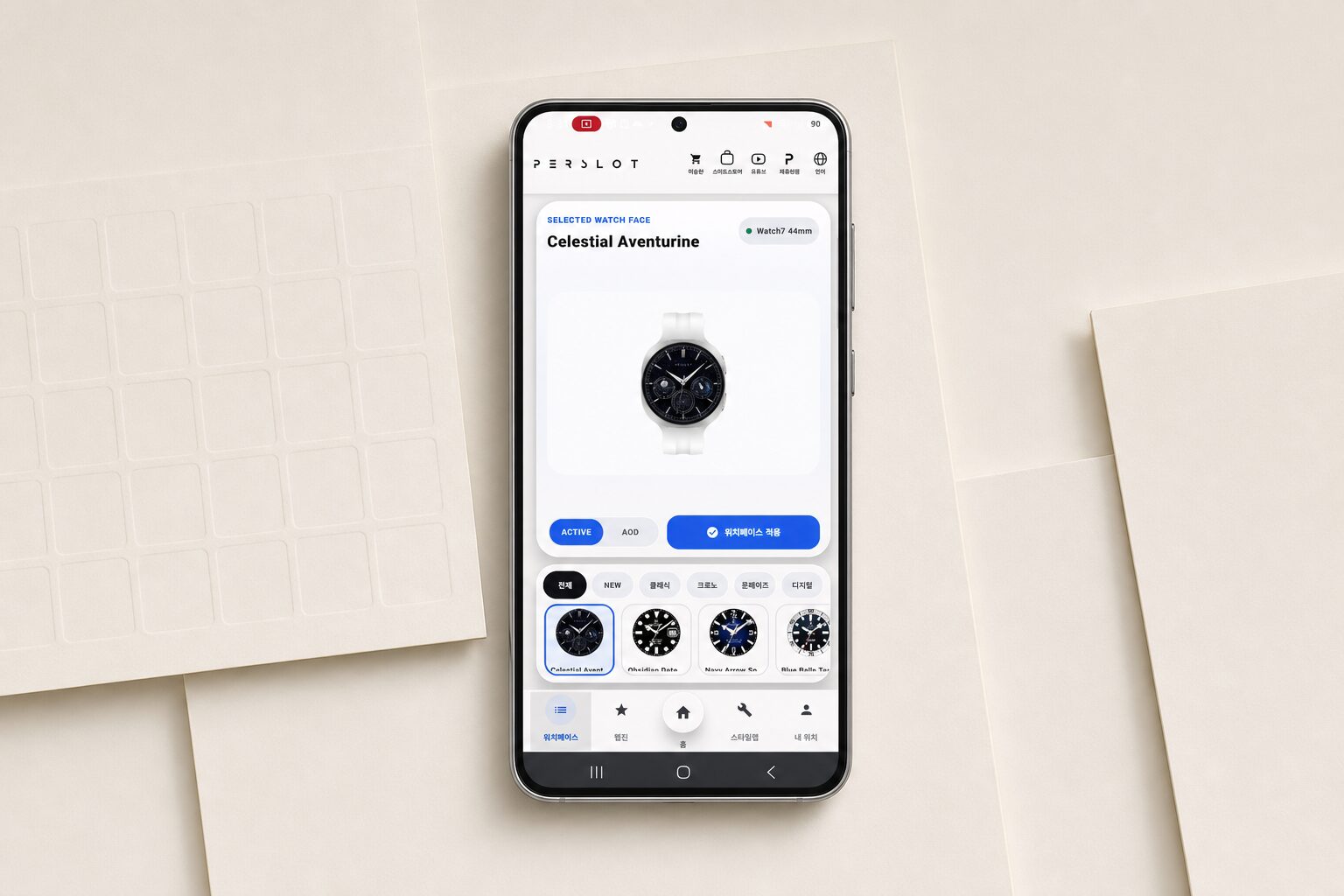
이전 Home에서는 ‘내 슬롯 / 길게 눌러 순서 변경’ 안내 줄이 미리보기와 워치페이스 목록 사이의 공간을 차지하고 있었습니다. 0.6.65에서는 이 안내 줄만 정리하고, 확보한 높이를 상단 미리보기 영역에 더했습니다.
전체·즐겨찾기 필터와 두 줄 워치페이스 카드는 그대로 유지됩니다. 달라진 점은 선택한 워치 본체와 다이얼을 더 여유 있는 크기로 볼 수 있다는 것입니다. 워치 모델과 본체 색상 선택도 계속 표시되므로 원하는 조합을 바로 비교할 수 있습니다.
Home에서 바꾸는 모델과 색상은 미리보기를 위한 선택입니다. 실제로 연결된 Galaxy Watch가 다른 모델로 바뀌거나 전송 대상이 임의로 변경되지는 않습니다.
한눈에 달라지는 점: 워치페이스를 고르는 공간은 그대로 두고, 선택 결과를 확인하는 공간만 더 넓어졌습니다.
02. My Watch Sync — 내 PERSLOT 워치페이스로 다시 돌아가기
Galaxy Watch에서 다른 워치페이스를 사용하다가 PERSLOT 디자인으로 다시 돌아가고 싶을 때, My Watch의 ‘워치 동기화’ 버튼을 사용할 수 있습니다.
0.6.65는 단순히 화면에 보이는 이미지를 보내는 것이 아니라, 이전에 설치와 활성화가 정상적으로 완료된 PERSLOT 워치페이스를 확인한 뒤 같은 디자인을 다시 적용합니다. 저장된 정보와 현재 서버의 워치페이스가 정확히 맞는지도 함께 확인합니다.
확인할 수 없는 기록이거나 현재 파일과 일치하지 않으면 임의의 기본 워치페이스로 바꾸지 않습니다. 대신 동기화를 멈추고 다시 확인할 수 있도록 안내합니다. 워치에서 마지막 확인이 필요한 경우에도 완료된 것처럼 표시하지 않고, Galaxy Watch에서 눌러야 할 단계를 알려줍니다.
한눈에 달라지는 점: 다른 워치페이스를 사용한 뒤에도 ‘워치 동기화’를 누르면 마지막으로 정상 적용된 PERSLOT 워치페이스로 돌아갈 수 있습니다.
03. 연결 — 실제로 연결되어 있을 때만 ‘연결됨’
워치가 연결되지 않은 상태에서 연결 버튼을 누르면 앱이 먼저 페어링된 Galaxy Watch를 다시 찾습니다. 실제로 사용할 수 있는 워치가 확인된 경우에만 상태가 ‘연결됨’으로 바뀝니다.
워치를 찾지 못하면 Galaxy Wearable을 열어 연결을 이어갈 수 있도록 하고, 필요한 경우 Bluetooth 설정으로 안내합니다. 외부 연결 화면을 열었다는 이유만으로 연결된 것처럼 표시하지 않습니다. 사용자가 앱으로 돌아오면 실제 연결 상태를 다시 확인합니다.
작아 보이는 상태 버튼도 손가락으로 누르기 편하도록 충분한 터치 영역을 확보했습니다.
한눈에 달라지는 점: 화면 표시와 실제 워치 연결 상태가 다르게 보이는 일을 줄이고, 연결이 필요할 때 공식 설정 화면으로 자연스럽게 이어집니다.
04. Magazine — 휴대전화에 맞는 글과 사진만 보기
하나의 WordPress 글에는 데스크톱용 구성과 모바일용 구성이 함께 들어갈 수 있습니다. 이전에는 앱이 글을 불러오는 과정에서 데스크톱용 이미지나 배치가 섞여 보일 가능성이 있었습니다.
0.6.65는 글을 화면에 표시하기 전에 모바일에서 보여야 할 내용을 구분합니다. 데스크톱 전용 영역은 제외하고, 모바일용으로 준비된 글과 이미지는 유지합니다. 사진도 모두 같은 가로 틀에 억지로 맞추지 않고 원래 비율에 가깝게 표시해 세로 사진을 더 자연스럽게 볼 수 있습니다.
Magazine 목록, MORE, 게시물 보기, 사진 전체 화면, 손가락 확대·이동 기능은 그대로 사용할 수 있습니다. 게시물을 읽는 중 상단의 Magazine을 다시 누르면 Magazine 목록으로 돌아갑니다.
한눈에 달라지는 점: 데스크톱용 배치가 섞이지 않고, 휴대전화 화면에 맞는 기사와 사진을 더 편하게 읽을 수 있습니다.
05. 함께 다듬은 사용 흐름
주요 화면을 수정하면서 기존 기능도 함께 다시 확인했습니다.
- 다른 워치페이스를 선택해도 사용 중인 ACTIVE·AOD 보기 상태가 유지됩니다.
- 선택한 색상이나 디자인에 맞는 ACTIVE·AOD 이미지가 표시됩니다.
- 실제 AOD 이미지가 없는 항목은 ACTIVE 화면을 AOD처럼 대신 보여주지 않습니다.
- Development에서는 최신 글 3개를 먼저 보여주고 MORE로 이어집니다.
- Design Note의 대표 이미지와 본문 이미지가 올바르게 연결됩니다.
- Style Lab에서는 모델·색상·베젤 선택을 기억하고, 호환되는 베젤을 고른 경우에만 제품정보 버튼이 활성화됩니다.
- Galaxy Watch8 Classic은 다이얼이 베젤 안에 자연스럽게 채워지도록 위치와 크기를 조정했습니다.
- 새로고침 뒤에도 서버의 워치페이스 목록과 실제 적용 상태가 일치하는지 확인했습니다.
각 기능을 따로 바꾸는 데 그치지 않고, Home에서 고르고 My Watch에서 확인하고 실제 Galaxy Watch에 적용하는 전체 흐름이 이어지도록 점검했습니다.
06. 0.6.65는 이렇게 확인했습니다
0.6.65는 현재 PERSLOT Phone 앱의 내부 테스트 버전입니다. Phone 기능 테스트 338개와 Wear 관련 확인 27개를 모두 통과했으며, Google Play 검사에서 배포를 막는 오류나 지원 기기 감소는 확인되지 않았습니다.
Google Play에 표시되는 예상 용량은 새 설치 50.3MB, 업데이트 8.92MB입니다. 배포용 원본 AAB 파일은 약 71MB이지만, 이는 기기에 실제로 내려받는 용량과 같은 값이 아닙니다. 앱 다운로드 용량이 갑자기 두 배가 된 것은 아닙니다.
이번 버전은 Phone 내부 테스트 앱만 변경했습니다. 현재 공개 버전, Wear 앱, 워치페이스 서버 목록과 Google Play 스토어 소개 화면은 변경하지 않았습니다.
현재 0.6.65는 내부 테스트 버전입니다
0.6.65는 현재 내부 테스터가 먼저 사용해 보는 버전입니다. 실제 Galaxy Watch에서 Home 미리보기, 모델·색상 선택, 워치페이스 동기화, 연결 화면 이동과 Magazine의 모바일 표시를 확인하고 있습니다.
일반 사용자에게 제공되는 일정은 이 확인이 끝난 뒤 별도로 안내하겠습니다.
앱 안으로 들어온 퍼슬랏 저널
퍼슬랏 웹진도 앱 안에서 이어집니다. TOTAL, WEBZINE, IMAGINE, NEWS, REVIEW 메뉴에서 제품 이야기와 상상 속 베젤링, 웨어러블 뉴스, 실제 사용 기록을 관심사에 맞춰 볼 수 있습니다. 첫 화면에는 카테고리별 최신 글을 일곱 개씩 불러오며 대표 이미지와 제목, 요약, 읽기 시간을 한눈에 보여줍니다.
더 보고 싶을 때는 MORE 버튼으로 다음 콘텐츠를 이어서 볼 수 있습니다. 공식 홈페이지의 최신 글도 앱에서 만날 수 있어 워치페이스를 고르다가 어울리는 베젤링을 알아보고, 신제품 소식을 읽은 뒤 스타일랩으로 돌아오는 이동이 자연스럽게 이어집니다.
네 가지 언어와 연결된 채널
퍼슬랏 앱은 한국어, 영어, 일본어, 중국어를 지원합니다. 상단의 지구본 아이콘에서 언어를 바꾸면 워치페이스와 웹진, 스타일랩, 내 워치, 설치 상태 안내까지 같은 기준으로 전환됩니다. 웹진 번역은 최신 콘텐츠부터 필요한 글을 순차적으로 처리하고, 지원되는 환경에서는 기기 내 번역 기능을 활용해 한국어 원문의 흐름을 유지합니다.
상단 바로가기는 퍼슬랏 공식몰과 스마트스토어, 유튜브, 브랜드 사이트를 연결합니다. 워치페이스를 보다가 실제 액세서리 옵션을 살펴보고, 설치 영상을 확인하거나 새로운 브랜드 콘텐츠로 이동할 때 주소를 다시 검색할 필요가 없습니다. 언어와 채널을 같은 위치에 둬 국내외 사용자가 길을 잃지 않도록 했습니다.
작은 화면에서 완성되는 더 큰 취향
퍼슬랏 앱은 Wear OS 기반 갤럭시워치 사용 환경을 중심으로 만들었습니다. Galaxy Watch5 이후 주요 일반형과 Classic, Ultra 모델을 고려했으며, 실제 설치와 적용 가능 여부는 워치 모델, 운영체제 버전, 휴대전화 연결 상태, 개별 워치페이스의 호환 조건에 따라 달라집니다.
안정적인 사용을 위해 휴대전화의 Google Play 서비스와 Galaxy Wearable, 갤럭시워치 소프트웨어를 최신 상태로 유지하는 것이 좋습니다. 퍼슬랏 앱과 워치페이스는 Google Play에서 무료로 이용할 수 있으며 일부 적용 과정에는 휴대전화와 워치의 정상적인 연결이 필요합니다.
새 컬렉션과 웹진은 계속 더해지고, 앱의 화면과 사용 방식도 실제 사용 과정에서 발견한 불편을 바탕으로 다듬어집니다. 손목 위의 작은 화면에 어떤 다이얼을 놓고 어떤 금속선과 소재를 이어갈지, 이제 그 선택을 퍼슬랏 앱 안에서 더 쉽고 자유롭게 완성할 수 있습니다.
PERSLOT App 0.6.65 — A Larger Preview, Reliable Watch Sync, And A Mobile-Friendly Magazine
PERSLOT App 0.6.65 focuses on making familiar actions clearer and easier. Home gives the selected watch more room. My Watch can return to the last PERSLOT watch face that was successfully installed and activated. Magazine now selects the mobile layout before building the article screen.
This article explains what felt inconvenient, what changed, and what users will notice in daily use.
See Your Selected Watch More Clearly
The small “My Slots / Long press to reorder” heading row has been removed, while the All and Favorites filters and the two-row watch-face list remain unchanged. The extra height is now used by the preview, so the selected watch body and dial are easier to see.
Model and body-color controls remain available. These choices affect the preview only and never replace the Galaxy Watch that is actually connected.
What users will notice: the watch-face list stays familiar, while the selected result becomes larger and easier to compare.
Return To Your PERSLOT Watch Face
If another watch face is currently active on the Galaxy Watch, the Watch Sync button can return to the last PERSLOT face that completed installation and activation successfully.
The app verifies the exact face and file before sending it again. If the saved information is incomplete or no longer matches the current catalog, synchronization stops instead of applying a different default face. When Wear OS requires confirmation on the watch, the app shows the required step rather than reporting a false success.
What users will notice: Watch Sync provides a clear way back to the last confirmed PERSLOT watch face.
Show Connected Only When The Watch Is Really Connected
When the watch is disconnected, the app searches again for a reachable paired Galaxy Watch. The status changes to Connected only after a real watch is found.
If no watch is available, the app opens Galaxy Wearable and, when needed, Bluetooth settings. Returning to PERSLOT triggers another connection check. Compact status buttons also keep a comfortable touch area.
What users will notice: the connection label now follows the real watch state and provides a clearer path when setup is required.
Read Magazine In A Mobile-Friendly Layout
A WordPress article may contain desktop and mobile sections in the same document. Version 0.6.65 separates those sections before displaying the article, removes desktop-only blocks, and preserves content prepared for mobile.
Images follow their natural proportions more closely, so portrait images no longer feel forced into a landscape frame. The Magazine list, MORE, full-screen image viewer, pinch zoom, pan, and return-to-list behavior remain available.
What users will notice: articles feel designed for a phone instead of looking like a desktop page squeezed onto a small screen.
Available For Internal Testing
The update also rechecked ACTIVE and AOD previews, Development and Design Note images, Style Lab choices, product links, catalog refresh, and the final applied-watch-face state. Galaxy Watch8 Classic preview alignment was adjusted so the dial sits naturally inside the bezel.
Version 0.6.65 is currently available to PERSLOT Phone internal testers. It passed 338 Phone tests and 27 Wear-related checks. Google Play reported no blocking error and no supported-device decrease.
Google Play estimates 50.3MB for a new installation and 8.92MB for an update. The public Phone release, Wear app, watch-face catalog, and Play Store listing were not changed. The general release schedule will be announced separately after real-device checks are complete.
Only The Watch Information That Matters
My Watch brings together the connected Galaxy Watch model and size, Wear OS environment, connection status and the face currently in use. Recent applications and saved style combinations appear on the same screen. Rather than leading with system logs, concise cards answer the practical questions: which watch is connected, whether application is complete and which design was used most recently.
Language, model selection and recent styles stay on the device without creating an account. Local records may reset when the phone changes or app data is deleted, but during normal use a saved combination can be reopened and adjusted at any time. The next styling session can therefore begin from the previous choice instead of rebuilding every layer.
From Watch Face To Bezel And Strap
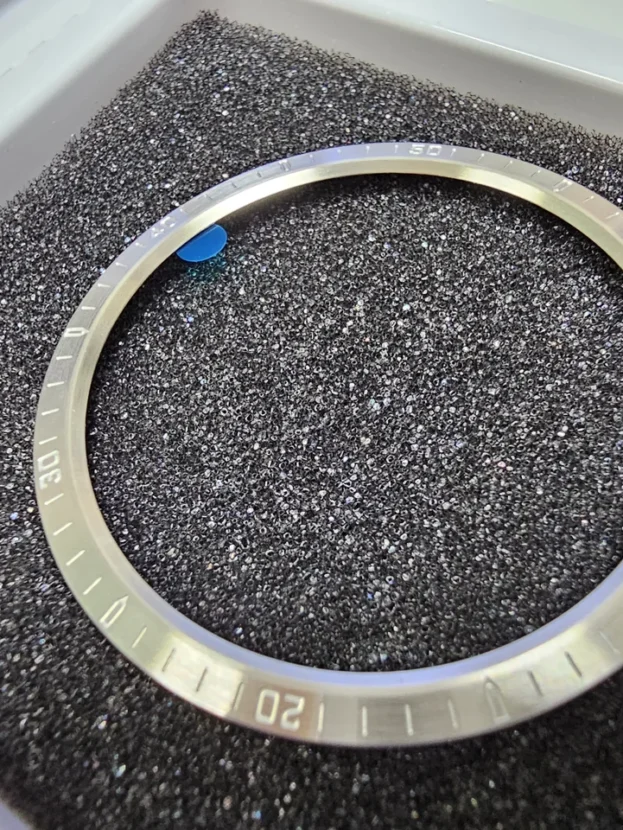
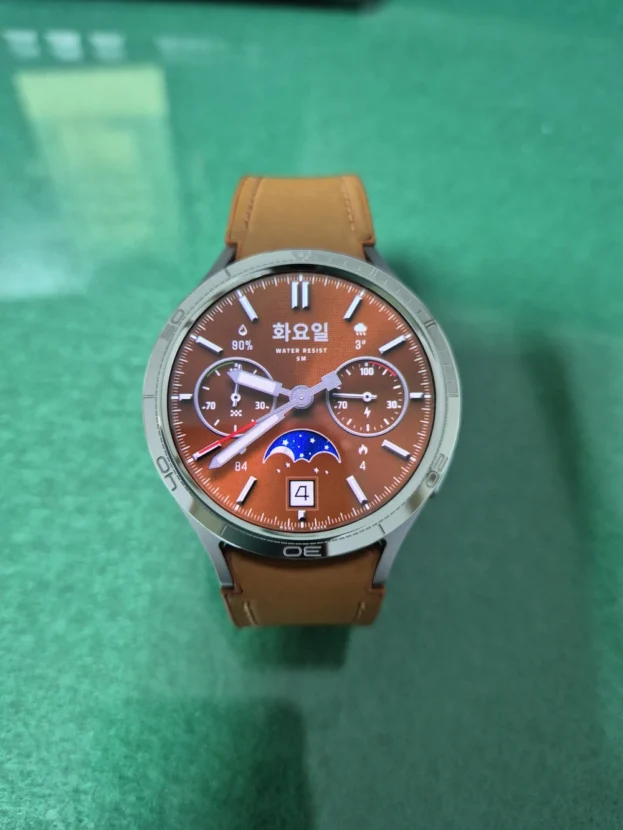
Style Lab is where the PERSLOT app moves beyond watch face installation. A Galaxy Watch model is selected first, the watch face is placed inside the display, and transparent bezel and strap assets are layered in order to form a complete wrist style close to the final wearing view.
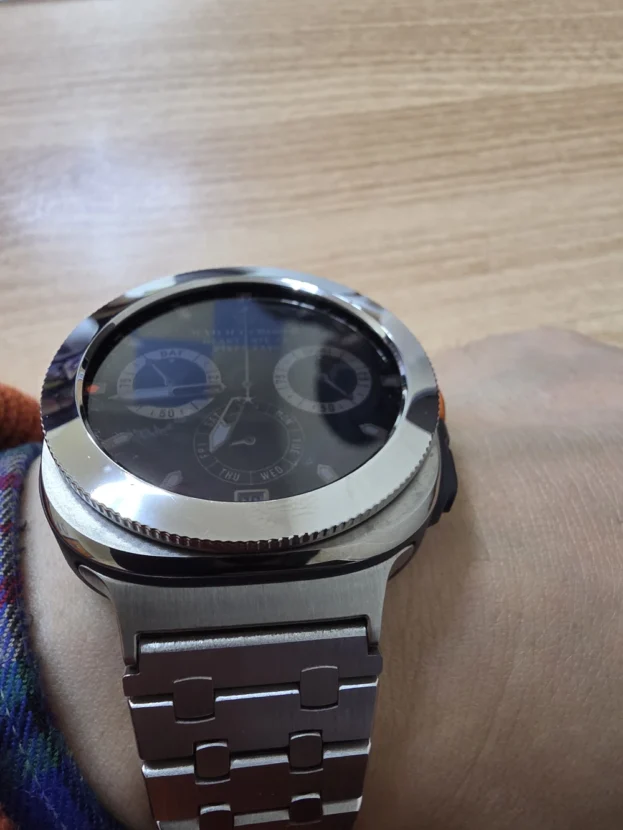
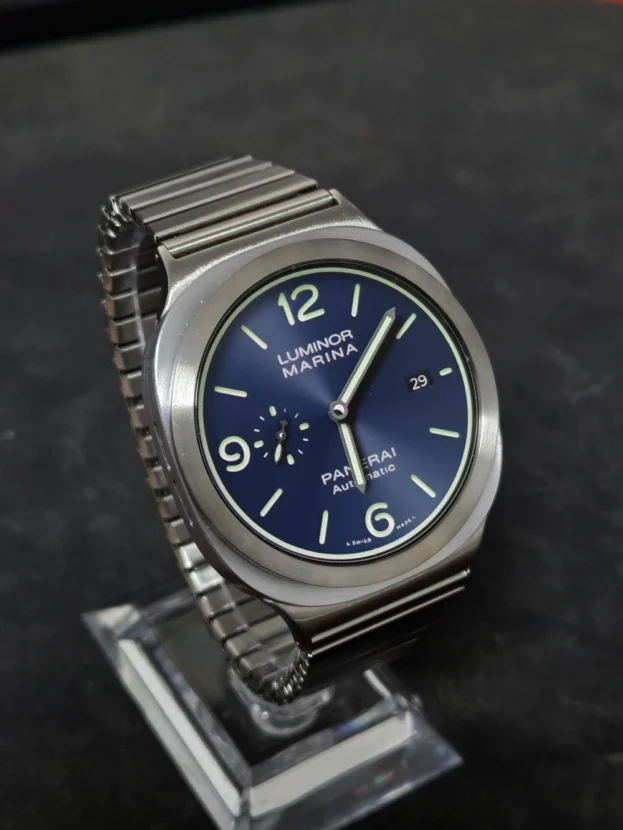
The relationship between the case, display and bezel is adjusted for each model. Users can compare how closely a slim bezel follows the screen, whether a bright dial connects naturally with a silver ring, and how the strap color changes the entire front view before choosing an accessory.
Only bezels compatible with the selected model appear in the list. Filtering incompatible sizes and case structures reduces confusion, while a preferred combination can be saved and reopened after browsing other faces. A single smartwatch can move between classic, sport and relaxed daily styling through small changes in material and proportion, so PERSLOT treats the face, bezel and strap as one finished wrist view rather than unrelated lists.
The PERSLOT Journal Inside The App
PERSLOT journal content is available inside the app through TOTAL, WEBZINE, IMAGINE, NEWS and REVIEW. Product stories, imagined bezel concepts, wearable news and real wearing records can be opened by subject. The first view loads seven recent articles from each category and keeps the featured image, title, excerpt and reading time visible at a glance.
The MORE button opens the next group whenever the reader wants to continue. Recent stories from the official website can also be read in the app, allowing someone to begin with a watch face, learn about a matching bezel, read product news and return to Style Lab without breaking the flow.
Four Languages And Direct Brand Channels
The PERSLOT app supports Korean, English, Japanese and Chinese. The globe icon changes the language used across watch faces, the journal, Style Lab, My Watch and installation status. Journal translation begins with recent relevant articles and uses on-device translation in supported environments, preserving the flow of the Korean original without placing an excessive data request on the first screen.
Top shortcuts connect directly to the PERSLOT store, Smart Store, YouTube and the brand website. A user can move from a watch face to compatible accessory options, installation videos or new editorial content without searching for the channel again. Keeping language and channels in one consistent location also makes navigation clearer for users outside Korea.
A Larger Field For Personal Style
The PERSLOT app is designed around Wear OS Galaxy Watch environments. It considers the principal standard, Classic and Ultra models from Galaxy Watch5 onward, while actual availability depends on the watch model, operating system version, phone connection and the compatibility of each watch face.
For stable use, Google Play services, Galaxy Wearable and the watch software should remain up to date. The PERSLOT app and watch faces are available free through Google Play, and some application steps require a normal connection between the phone and watch.
New collections and journal articles will continue to arrive, while the interface and workflow will be refined through real use. The screen on the wrist may be small, but the choice of dial, metal line and material is not. The PERSLOT app makes that choice easier to explore and more natural to complete.
추가 정보 / Additional Information
Release
Verification
Phone 338 tests and Wear baseline 27 tests completed with 0 failures, 0 errors and 0 skipped tests. Google Play reported 0 blocking errors and no supported-device decrease. Delivery estimates were 50.3MB for a new install, 8.92MB for an update and 12 seconds.
Frequently Asked Questions
Can everyone download version 0.6.65 now?
Not yet. Version 0.6.65 is currently available to approved internal testers. A wider release will be announced separately after real-device checks are complete.
Did the app suddenly become twice as large?
No. Google Play estimates 50.3MB for a new installation and 8.92MB for an update. The approximately 71MB AAB is the source package used by Google Play, not the optimized file downloaded to one device.
What does Watch Sync do?
It checks the last PERSLOT watch face that completed installation and activation, then sends that same face again. It does not silently replace the face with a different default.
Will Watch Sync always finish without touching the watch?
Not always. Wear OS may ask for a final confirmation on the Galaxy Watch. When that happens, PERSLOT shows the next step instead of reporting that the change is already complete.
Does Magazine simply open the mobile website?
No. The app reads the trusted WordPress article, selects the mobile layout, and builds a native article screen with full-screen images, pinch zoom and image movement.
Technical identity
Phone AAB SHA-256
A324FBA48A4433712CD3296F030CAA6B4029E07A60FF31BBC615C59D27CD853A