

새로운 퍼슬랏 앱, 손목 위 스타일의 시작
스마트워치는 시간을 확인하는 기기를 넘어 매일의 옷차림과 취향을 드러내는 손목 위 오브제가 되었습니다. 그러나 마음에 드는 워치페이스를 찾고, ACTIVE와 AOD를 비교하고, 설치 페이지를 거쳐 워치에 적용하는 과정은 여러 화면으로 흩어져 있었습니다.
퍼슬랏 앱은 이 과정을 하나의 흐름으로 잇는 갤럭시워치 전용 스타일 플랫폼입니다. 워치페이스 컬렉션을 살펴보는 일부터 연결된 워치에 적용하는 순간, 베젤링과 스트랩을 조합하는 스타일랩, 퍼슬랏 웹진을 읽는 경험까지 중단 없이 한곳에서 이어집니다.
회원가입이나 복잡한 초기 설정은 넣지 않았습니다. 휴대전화와 Wear OS 기반 갤럭시워치의 연결 상태를 확인한 뒤 바로 시작할 수 있으며, 사용자가 고른 언어와 워치 모델, 워치페이스와 스타일 조합은 편리한 재사용을 위해 기기 안에 저장됩니다.
흩어진 과정을 하나의 흐름으로
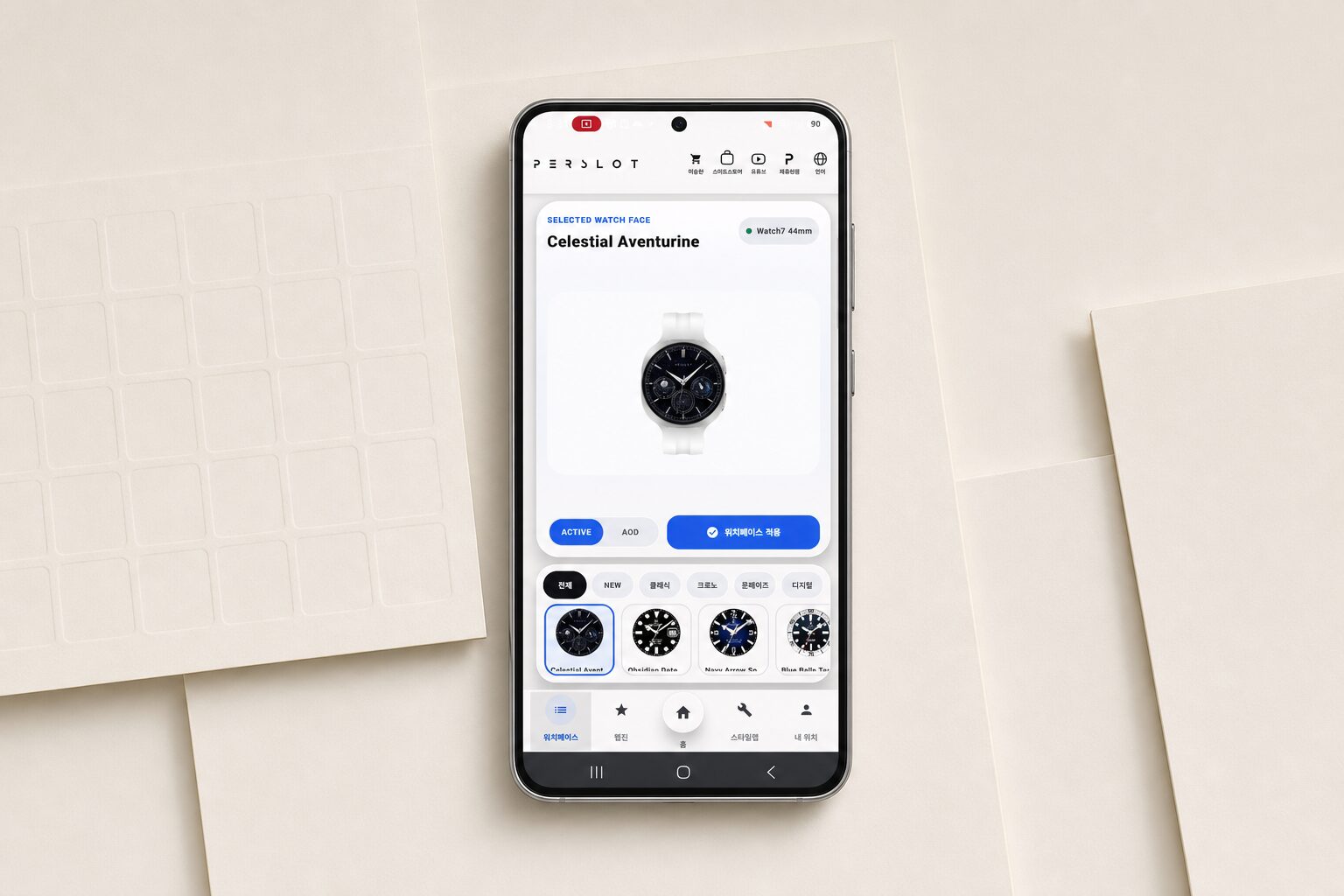
퍼슬랏 앱의 홈은 연결된 갤럭시워치와 현재 고른 워치페이스를 가장 먼저 보여줍니다. 모델명과 사이즈, 연결 여부, ACTIVE와 AOD 선택 상태가 한 화면 안에 놓여 있어 지금 무엇을 보고 있으며 어느 워치에 적용할 것인지 곧바로 알 수 있습니다.
상단에는 퍼슬랏 공식몰과 스마트스토어, 유튜브, 브랜드 채널, 언어 메뉴가 자리합니다. 하단에는 워치페이스, 웹진, 홈, 스타일랩, 내 워치를 나눠 두었습니다. 제품과 콘텐츠를 찾기 위해 여러 주소를 오갈 필요 없이 필요한 기능으로 바로 이동할 수 있습니다.
화면은 흰색을 중심으로 정돈하고 선택된 항목에만 선명한 색을 사용했습니다. 워치페이스와 워치 본체가 주인공이 되어야 한다는 기준 아래, 버튼과 상태 표시는 짧게 읽히며 작은 휴대전화 화면에서도 다음 행동이 자연스럽게 이어지도록 세밀하게 다듬었습니다.
워치페이스를 고르는 방식의 변화
기존에는 워치페이스마다 Google Play 페이지를 따로 찾고 작은 미리보기와 설명을 번갈아 살펴봐야 했습니다. 퍼슬랏 앱에서는 현재 공개된 워치페이스를 하나의 컬렉션으로 모아 보고, 원하는 디자인을 누르면 상단의 큰 화면에서 곧바로 자세히 볼 수 있습니다.
NEW, 클래식, 크로노그래프, 문페이즈, 다이버, 디지털을 비롯한 분류는 취향을 빠르게 좁히는 기준이 됩니다. 가로 목록을 넘기면서 전체 실루엣을 비교하고, 선택한 워치페이스에서는 인덱스와 핸즈, 서브 다이얼, 날짜창, 색상 균형까지 충분한 크기로 살펴볼 수 있습니다.
컬렉션에는 퍼슬랏의 새로운 워치페이스가 꾸준히 더해집니다. 익숙한 분류 안에서 최신 디자인을 먼저 만나고, 큰 미리보기와 상세 화면을 차례로 살펴볼 수 있어 매번 여러 페이지를 검색하던 번거로움도 줄어듭니다. 마음에 든 디자인은 ACTIVE와 AOD를 바로 비교하며 자신의 손목에 맞는 화면인지 충분히 살펴볼 수 있습니다.
ACTIVE와 AOD, 두 화면을 함께 보다
워치페이스는 화면이 켜져 있을 때만 완성되는 디자인이 아닙니다. 손목을 내렸을 때 남는 AOD는 하루 중 더 오랫동안 보이는 표정이기도 합니다. 퍼슬랏 앱은 ACTIVE와 AOD를 같은 자리에서 전환하고, 색과 질감이 살아 있는 화면과 간결하게 정돈된 화면의 차이를 적용 전에 비교할 수 있습니다.
ACTIVE에서는 서브 다이얼과 정보 배치를 자세히 보고, AOD에서는 어두운 환경의 가독성과 남겨진 인덱스를 살펴봅니다. 단순히 지원 여부만 표시하는 대신 밝은 낮과 조명이 낮아진 밤에 같은 워치페이스가 어떻게 달라지는지 보여주므로, AOD의 숫자와 핸즈가 자신의 사용 습관에 맞는지까지 보고 결정할 수 있습니다.
선택에서 실제 워치 적용까지
휴대전화와 갤럭시워치가 연결되어 있으면 퍼슬랏 앱은 사용 중인 워치 모델과 연결 상태를 읽어옵니다. 원하는 워치페이스를 고르고 ACTIVE와 AOD를 확인한 뒤 적용 버튼을 누르면 다운로드와 설치, 워치 전달 순서가 끊기지 않고 화면에 이어집니다.
Wear OS의 보안 정책에 따라 워치에서 설치나 적용을 한 번 더 승인해야 하는 경우에는 필요한 단계만 안내합니다. 진행 중에는 다운로드 상태와 설치 결과가 표시되고, 완료된 뒤에는 현재 적용 중인 워치페이스와 최근 적용 기록이 내 워치 영역에 남습니다.
미리보기용으로 선택한 워치 모델과 실제 연결된 기기는 명확히 구분했습니다. 다른 크기의 워치에서 디자인 비율을 먼저 살펴보는 일은 가능하지만, 실제 설치는 연결 상태와 해당 워치페이스의 호환 조건을 기준으로 진행되며 적용 결과는 내 워치 메뉴에 남습니다.
선택한 워치페이스의 적용 상태
워치페이스를 선택하면 화면 상단에 디자인 이름과 미리보기가 남고, 오른쪽에는 연결된 갤럭시워치 모델과 크기가 함께 표시됩니다. 어떤 디자인을 어느 워치에 적용하는지 한 화면에서 대조할 수 있어 비슷한 이름의 워치페이스를 번갈아 살필 때도 선택이 흐려지지 않습니다.
적용 버튼을 누른 뒤에는 준비와 전송, 워치 확인, 완료 상태가 짧은 문구와 색으로 이어집니다. Wear OS가 워치에서 추가 동의를 요구하면 그 단계만 분명하게 안내하며, 휴대전화와 워치의 연결이 끊긴 경우에도 먼저 연결 상태를 바로잡을 수 있도록 현재 위치를 남겨둡니다.
적용이 끝나면 연결 정보 옆에 현재 사용 중인 워치페이스가 표시됩니다. 미리보기에서 고른 디자인과 손목 위에 올라온 결과를 곧바로 대조할 수 있고, 다음 디자인을 살펴보더라도 지금 적용 중인 워치페이스가 무엇인지 놓치지 않습니다. 최근 적용 기록은 내 워치 메뉴에서 다시 볼 수 있어 이전에 사용한 디자인으로 돌아갈 때도 편리합니다.
워치페이스를 자주 바꾸는 사용자에게 중요한 것은 기능의 수보다 과정의 명료함입니다. 퍼슬랏 앱은 선택한 디자인, 연결된 워치, 진행 상태와 완료 결과를 같은 화면 안에 두어 작은 디스플레이를 꾸미는 일이 복잡한 설치 작업처럼 느껴지지 않도록 구성했습니다.
내 워치에 필요한 정보만
내 워치 메뉴에는 연결된 갤럭시워치 모델과 크기, Wear OS 환경, 연결 상태, 현재 적용 중인 워치페이스가 정리됩니다. 최근 적용 기록과 저장한 스타일 조합도 같은 화면에 놓았습니다. 복잡한 시스템 로그보다 어떤 워치가 연결되어 있는지, 적용이 끝났는지, 마지막으로 어떤 디자인을 사용했는지를 짧은 카드와 상태 색으로 바로 읽을 수 있습니다.
별도의 계정을 만들지 않아도 선택한 언어와 모델, 최근 스타일은 기기 안에 남습니다. 휴대전화를 바꾸거나 앱 데이터를 지우면 로컬 기록도 초기화될 수 있지만, 일상적인 사용에서는 같은 조합을 다시 불러와 이어서 살펴볼 수 있습니다. 다음 스타일을 고를 때 지난 선택을 처음부터 다시 맞추지 않아도 되는 이유입니다.
워치페이스에서 베젤링과 스트랩까지
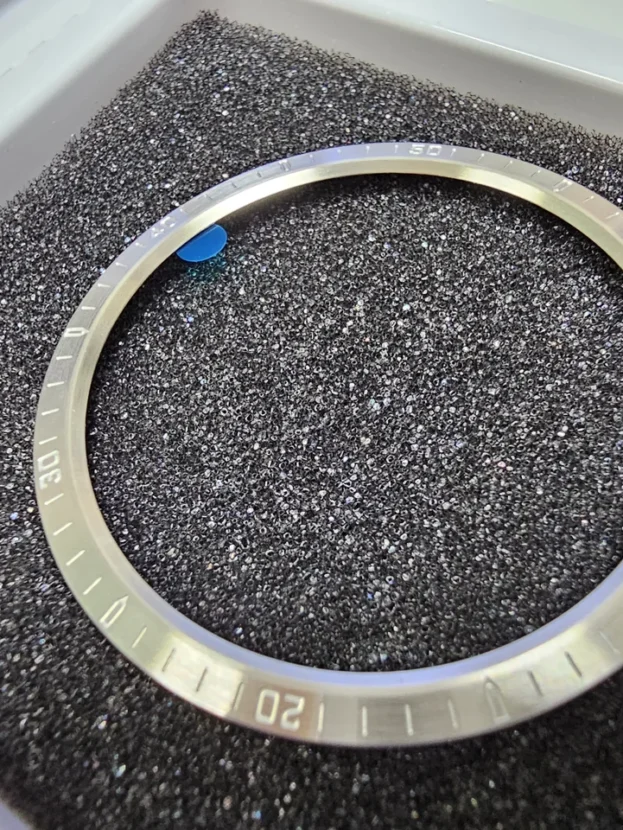
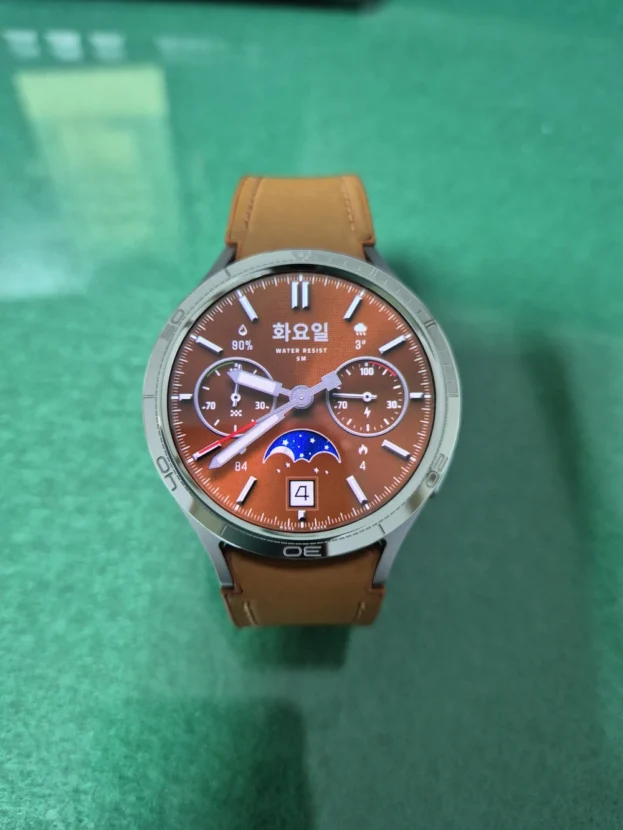
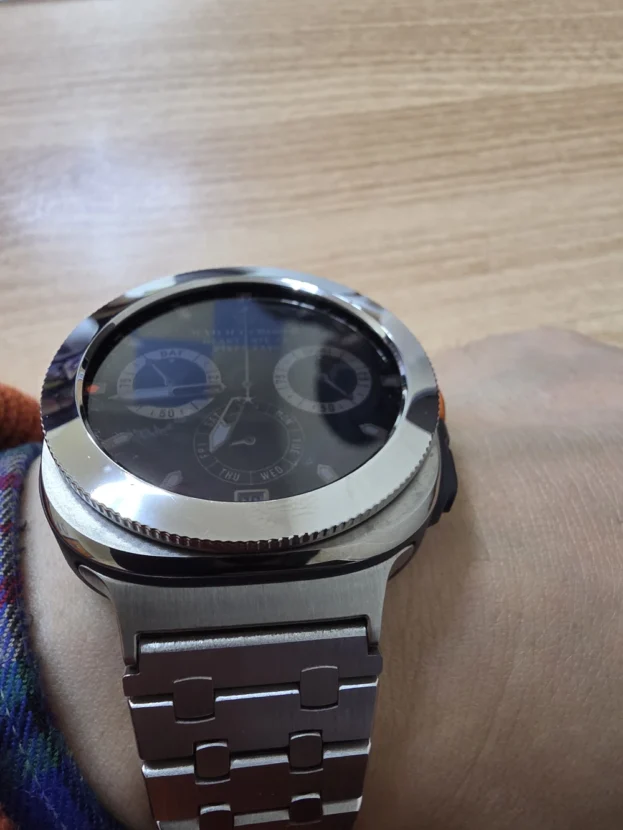
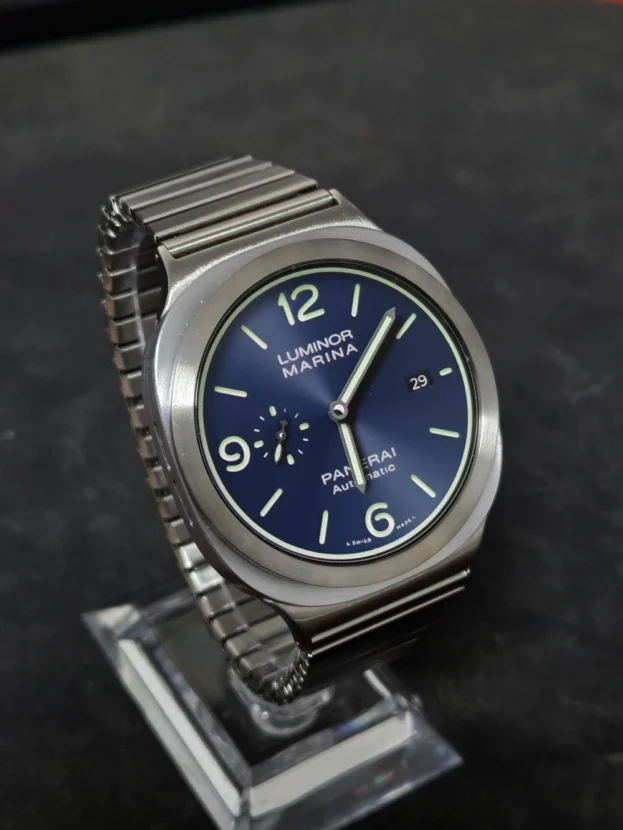
스타일랩은 퍼슬랏 앱이 워치페이스 설치를 넘어서는 지점입니다. 먼저 갤럭시워치 모델을 고르고 디스플레이 안쪽에 워치페이스를 놓은 다음, 투명 배경으로 제작한 베젤링과 스트랩을 차례로 겹쳐 실제 착용에 가까운 하나의 손목 스타일로 자연스럽게 완성합니다.
워치 본체, 디스플레이, 베젤링의 비율은 모델별 외형에 맞춰 조정했습니다. 얇은 베젤링이 화면을 얼마나 감싸는지, 밝은 다이얼과 실버 링이 자연스럽게 이어지는지, 스트랩 색이 전면의 분위기를 어떻게 바꾸는지를 구매 전에 차분히 비교할 수 있습니다.
스타일랩은 선택한 워치 모델과 호환되는 베젤링만 불러옵니다. 크기와 외형이 맞지 않는 항목을 걸러 실제 제품 선택의 혼선을 줄였으며, 마음에 든 조합은 저장한 뒤 다른 워치페이스를 둘러보고 다시 불러올 수 있습니다. 퍼슬랏은 하나의 스마트워치가 클래식과 스포츠, 가벼운 데일리 스타일 사이를 오갈 때 전면과 손목 아래가 함께 이루는 최종 비율까지 살폈습니다.
앱 안으로 들어온 퍼슬랏 저널
퍼슬랏 웹진도 앱 안에서 이어집니다. TOTAL, WEBZINE, IMAGINE, NEWS, REVIEW 메뉴에서 제품 이야기와 상상 속 베젤링, 웨어러블 뉴스, 실제 사용 기록을 관심사에 맞춰 볼 수 있습니다. 첫 화면에는 카테고리별 최신 글을 일곱 개씩 불러오며 대표 이미지와 제목, 요약, 읽기 시간을 한눈에 보여줍니다.
더 보고 싶을 때는 MORE 버튼으로 다음 콘텐츠를 이어서 볼 수 있습니다. 공식 홈페이지의 최신 글도 앱에서 만날 수 있어 워치페이스를 고르다가 어울리는 베젤링을 알아보고, 신제품 소식을 읽은 뒤 스타일랩으로 돌아오는 이동이 자연스럽게 이어집니다.
네 가지 언어와 연결된 채널
퍼슬랏 앱은 한국어, 영어, 일본어, 중국어를 지원합니다. 상단의 지구본 아이콘에서 언어를 바꾸면 워치페이스와 웹진, 스타일랩, 내 워치, 설치 상태 안내까지 같은 기준으로 전환됩니다. 웹진 번역은 최신 콘텐츠부터 필요한 글을 순차적으로 처리하고, 지원되는 환경에서는 기기 내 번역 기능을 활용해 한국어 원문의 흐름을 유지합니다.
상단 바로가기는 퍼슬랏 공식몰과 스마트스토어, 유튜브, 브랜드 사이트를 연결합니다. 워치페이스를 보다가 실제 액세서리 옵션을 살펴보고, 설치 영상을 확인하거나 새로운 브랜드 콘텐츠로 이동할 때 주소를 다시 검색할 필요가 없습니다. 언어와 채널을 같은 위치에 둬 국내외 사용자가 길을 잃지 않도록 했습니다.
작은 화면에서 완성되는 더 큰 취향
퍼슬랏 앱은 Wear OS 기반 갤럭시워치 사용 환경을 중심으로 만들었습니다. Galaxy Watch5 이후 주요 일반형과 Classic, Ultra 모델을 고려했으며, 실제 설치와 적용 가능 여부는 워치 모델, 운영체제 버전, 휴대전화 연결 상태, 개별 워치페이스의 호환 조건에 따라 달라집니다.
안정적인 사용을 위해 휴대전화의 Google Play 서비스와 Galaxy Wearable, 갤럭시워치 소프트웨어를 최신 상태로 유지하는 것이 좋습니다. 퍼슬랏 앱과 워치페이스는 Google Play에서 무료로 이용할 수 있으며 일부 적용 과정에는 휴대전화와 워치의 정상적인 연결이 필요합니다.
새 컬렉션과 웹진은 계속 더해지고, 앱의 화면과 사용 방식도 실제 사용 과정에서 발견한 불편을 바탕으로 다듬어집니다. 손목 위의 작은 화면에 어떤 다이얼을 놓고 어떤 금속선과 소재를 이어갈지, 이제 그 선택을 퍼슬랏 앱 안에서 더 쉽고 자유롭게 완성할 수 있습니다.
A New PERSLOT App For The Way You Style Your Watch
A smartwatch is no longer only a device for checking the time. It has become an object worn every day and a visible part of personal style. Yet finding a watch face, comparing its ACTIVE and AOD states, opening a separate install page and applying it to the watch has often meant moving through several disconnected screens.
The PERSLOT app brings that process into one Galaxy Watch styling platform. Users can browse the watch face collection, apply a selected design to a connected watch, combine bezels and straps in Style Lab, and continue into PERSLOT journal content without leaving the same experience.
There is no separate membership process or complicated onboarding. Once the phone and a Wear OS Galaxy Watch are connected, the main features are ready to use. Language, watch model, selected watch face and saved style combinations remain on the device for convenient reuse.
One Continuous Styling Flow
The home screen places the connected Galaxy Watch and the selected watch face first. Model name, case size, connection status and the current ACTIVE or AOD selection appear together, making it clear what is being previewed and which watch will receive the design.
Shortcuts at the top connect to the PERSLOT store, Smart Store, YouTube, the brand channel and language settings. The bottom navigation separates Watch Faces, Journal, Home, Style Lab and My Watch, allowing each task to begin without searching for another address.
A quiet white interface keeps attention on the watch and the dial. Strong color is reserved for selected controls and progress states, while labels remain concise. The result is an interface that makes the next action clear without competing with the product being styled.
A Better Way To Browse Watch Faces
Previously, each watch face had to be found through its own Google Play page, with small previews and descriptions checked one by one. The PERSLOT app gathers the available collection in one place and opens the selected design in a large preview at the top of the screen.
Categories such as NEW, Classic, Chronograph, Moonphase, Diver and Digital help narrow the choice quickly. The horizontal list makes overall silhouettes easy to compare, while the enlarged selection reveals indices, hands, subdials, date windows and color balance at a useful scale.
New PERSLOT watch faces continue to join the collection. Recent designs can be found within familiar categories and opened through a large preview and detailed view, reducing the need to search through several separate pages whenever a new dial is considered.
ACTIVE And AOD In The Same Preview
A watch face is not defined only by the moment the display is fully awake. The AOD state often remains visible for much longer during the day. The PERSLOT app switches between ACTIVE and AOD in the same position, allowing the full color and texture of the active screen to be compared with the quieter resting design before application.
ACTIVE reveals complications and detailed information, while AOD shows the simplified indices and legibility intended for dimmer conditions. Instead of stating only that AOD is supported, the app shows how the same face changes from bright daytime use to a quieter night view, including whether its hands and numerals fit the user’s daily habits.
From Selection To The Connected Watch
When the phone and Galaxy Watch are connected, the PERSLOT app reads the active watch model and connection status. After a watch face is selected and its ACTIVE and AOD designs are checked, the Apply button moves through download, installation and delivery to the watch.
Wear OS security may require an additional confirmation on the watch. When that happens, the app shows only the necessary step. Download progress, installation status and the final result remain visible, and My Watch records the current face and the most recent application.
A model chosen only for preview is kept separate from the watch that is physically connected. Users may inspect proportions on another case size, but actual installation follows the connection state and the compatibility rules of the selected watch face.
A Clear View Of Watch Face Application
After a watch face is selected, its name and preview remain at the top while the connected Galaxy Watch model and case size appear beside it. Keeping both pieces of information visible makes it easier to distinguish similarly named designs and confirm exactly which watch will receive the selected face.
The Apply button leads through preparation, transfer, watch confirmation and completion with concise labels and clear status colors. If Wear OS requests additional approval on the watch, only that action is highlighted. When the phone and watch lose their connection, the current position remains clear so the connection can be restored first.
Once application is complete, the face currently in use appears beside the watch connection details. The selected preview can be compared immediately with the result on the wrist, and the active design remains visible even while another watch face is being explored.
For users who change watch faces often, clarity matters more than a long list of technical steps. The PERSLOT app keeps the selected design, connected watch, progress state and final result within the same visual context, making watch styling feel direct rather than procedural.
Only The Watch Information That Matters
My Watch brings together the connected Galaxy Watch model and size, Wear OS environment, connection status and the face currently in use. Recent applications and saved style combinations appear on the same screen. Rather than leading with system logs, concise cards answer the practical questions: which watch is connected, whether application is complete and which design was used most recently.
Language, model selection and recent styles stay on the device without creating an account. Local records may reset when the phone changes or app data is deleted, but during normal use a saved combination can be reopened and adjusted at any time. The next styling session can therefore begin from the previous choice instead of rebuilding every layer.
From Watch Face To Bezel And Strap
Style Lab is where the PERSLOT app moves beyond watch face installation. A Galaxy Watch model is selected first, the watch face is placed inside the display, and transparent bezel and strap assets are layered in order to form a complete wrist style close to the final wearing view.
The relationship between the case, display and bezel is adjusted for each model. Users can compare how closely a slim bezel follows the screen, whether a bright dial connects naturally with a silver ring, and how the strap color changes the entire front view before choosing an accessory.
Only bezels compatible with the selected model appear in the list. Filtering incompatible sizes and case structures reduces confusion, while a preferred combination can be saved and reopened after browsing other faces. A single smartwatch can move between classic, sport and relaxed daily styling through small changes in material and proportion, so PERSLOT treats the face, bezel and strap as one finished wrist view rather than unrelated lists.
The PERSLOT Journal Inside The App
PERSLOT journal content is available inside the app through TOTAL, WEBZINE, IMAGINE, NEWS and REVIEW. Product stories, imagined bezel concepts, wearable news and real wearing records can be opened by subject. The first view loads seven recent articles from each category and keeps the featured image, title, excerpt and reading time visible at a glance.
The MORE button opens the next group whenever the reader wants to continue. Recent stories from the official website can also be read in the app, allowing someone to begin with a watch face, learn about a matching bezel, read product news and return to Style Lab without breaking the flow.
Four Languages And Direct Brand Channels
The PERSLOT app supports Korean, English, Japanese and Chinese. The globe icon changes the language used across watch faces, the journal, Style Lab, My Watch and installation status. Journal translation begins with recent relevant articles and uses on-device translation in supported environments, preserving the flow of the Korean original without placing an excessive data request on the first screen.
Top shortcuts connect directly to the PERSLOT store, Smart Store, YouTube and the brand website. A user can move from a watch face to compatible accessory options, installation videos or new editorial content without searching for the channel again. Keeping language and channels in one consistent location also makes navigation clearer for users outside Korea.
A Larger Field For Personal Style
The PERSLOT app is designed around Wear OS Galaxy Watch environments. It considers the principal standard, Classic and Ultra models from Galaxy Watch5 onward, while actual availability depends on the watch model, operating system version, phone connection and the compatibility of each watch face.
For stable use, Google Play services, Galaxy Wearable and the watch software should remain up to date. The PERSLOT app and watch faces are available free through Google Play, and some application steps require a normal connection between the phone and watch.
New collections and journal articles will continue to arrive, while the interface and workflow will be refined through real use. The screen on the wrist may be small, but the choice of dial, metal line and material is not. The PERSLOT app makes that choice easier to explore and more natural to complete.
추가 정보
퍼슬랏 앱 한눈에 보기
퍼슬랏 앱은 Wear OS 갤럭시워치의 워치페이스 탐색과 ACTIVE AOD 비교, 연결 워치 적용, 베젤링과 스트랩 스타일링을 하나의 흐름으로 잇습니다. 퍼슬랏 공식 웹진과 네 가지 언어, 주요 브랜드 채널도 앱 안에서 함께 이용할 수 있습니다.
별도의 회원가입 없이 시작하며, 선택한 언어와 워치 모델, 최근 워치페이스와 저장한 스타일은 기기 안에 보관됩니다. 실제 설치 가능 여부는 워치 모델과 Wear OS 버전, 휴대전화 연결 상태, 개별 워치페이스의 호환 조건에 따라 달라질 수 있습니다.
주요 기능
- NEW, 클래식, 크로노그래프, 문페이즈, 다이버, 디지털 컬렉션 탐색
- 선택한 워치페이스의 ACTIVE와 AOD 화면 비교
- 연결된 Wear OS 갤럭시워치 확인과 워치페이스 적용
- 새로운 워치페이스 컬렉션과 큰 미리보기 탐색
- 선택한 디자인, 연결 워치와 적용 상태를 한 화면에서 확인
- 워치 모델, 적용 상태, 최근 기록과 저장 스타일을 모은 내 워치
- 워치페이스, 베젤링, 스트랩을 겹쳐 보는 스타일랩
- WEBZINE, IMAGINE, NEWS, REVIEW를 연결한 퍼슬랏 저널
워치페이스 적용 순서
- 휴대전화와 갤럭시워치의 연결 상태를 확인합니다.
- 퍼슬랏 앱에서 워치페이스와 호환 모델을 선택합니다.
- ACTIVE와 AOD 디자인을 비교합니다.
- 워치페이스 적용 버튼을 누르고 다운로드와 설치 안내를 따릅니다.
- 내 워치에서 현재 적용 상태와 최근 기록을 확인합니다.
사용 환경과 호환 기준
Galaxy Watch5 이후 주요 일반형과 Classic, Ultra 모델을 고려해 화면과 연결 구조를 설계했습니다. 같은 세대라도 운영체제와 개별 워치페이스의 지원 범위가 다를 수 있으므로 앱에 표시되는 연결 모델과 호환 안내를 함께 살펴보는 것이 좋습니다.
휴대전화의 Galaxy Wearable과 Google Play 서비스, 갤럭시워치 소프트웨어를 최신 상태로 유지하면 연결과 적용 과정이 한결 안정적입니다. 워치에서 별도의 승인이 필요한 경우에는 앱 화면에 표시되는 순서에 따라 진행할 수 있습니다.
자주 묻는 질문
퍼슬랏 앱은 어떤 앱인가요?
갤럭시워치 워치페이스를 찾고 비교해 연결된 워치에 적용하며, 베젤링과 스트랩까지 조합해 보는 Wear OS 스타일 플랫폼입니다. 퍼슬랏 웹진과 브랜드 채널도 같은 앱 안에서 이어집니다.
어떤 갤럭시워치에서 사용할 수 있나요?
Galaxy Watch5 이후의 주요 일반형, Classic, Ultra 환경을 중심으로 설계했습니다. 실제 지원 여부는 연결된 워치 모델과 Wear OS 버전, 선택한 워치페이스의 호환 조건을 앱에서 함께 확인해야 합니다.
애플워치에서도 사용할 수 있나요?
현재 앱의 워치 연결과 적용 기능은 Wear OS 기반 갤럭시워치를 중심으로 합니다. 애플워치용 워치페이스 설치 기능으로 사용할 수 없습니다.
ACTIVE와 AOD는 무엇이 다른가요?
ACTIVE는 화면이 켜졌을 때의 전체 디자인이며 AOD는 손목을 내렸을 때 남는 간결한 화면입니다. 색상과 정보량, 인덱스 가독성이 달라질 수 있어 적용 전에 두 상태를 함께 비교할 수 있습니다.
워치페이스를 앱에서 바로 적용할 수 있나요?
휴대전화와 호환되는 갤럭시워치가 연결되어 있으면 선택한 워치페이스의 다운로드와 설치 과정을 시작할 수 있습니다. Wear OS 보안 정책에 따라 워치에서 추가 승인이 필요한 경우에는 해당 단계가 화면에 안내됩니다.
회원가입이 필요한가요?
별도의 회원가입이나 사용자 계정 생성 없이 주요 기능을 사용할 수 있습니다. 언어와 모델, 최근 선택과 저장 스타일은 편의를 위해 기기 안에 보관됩니다.
새로운 워치페이스는 어디에서 볼 수 있나요?
퍼슬랏 앱의 NEW와 각 디자인 카테고리에서 최근 추가된 워치페이스를 살펴볼 수 있습니다. 앱 기능과 화면이 업데이트된 경우에는 Google Play에서 최신 버전을 설치해 사용하는 것이 좋습니다.
스타일랩에서는 무엇을 조합할 수 있나요?
갤럭시워치 모델과 워치페이스, 호환되는 베젤링, 스트랩을 한 화면에서 겹쳐 볼 수 있습니다. 마음에 드는 조합은 저장한 뒤 다른 디자인을 확인하고 다시 불러올 수 있습니다.
관련 링크
퍼슬랏 공식 브랜드 사이트에서는 브랜드와 웹진 콘텐츠를 볼 수 있습니다. 제품 옵션은 퍼슬랏 공식몰과 퍼슬랏 스마트스토어에서 확인할 수 있으며, 워치페이스와 영상은 Google Play 퍼슬랏 페이지와 퍼슬랏 공식 유튜브로 이어집니다.